The 1980s had a photo style you can recognize instantly: teased and permed hair, shoulder-pad blazers, laser-grid studio backdrops, and a flash that made every school or mall portrait look a little larger than life. This page collects six prompts built for Gemini's photo mode, so you can turn an ordinary phone photo into that exact look without opening any editing software. Each prompt spells out the hair, wardrobe, lighting, and backdrop in enough detail that Gemini reproduces a consistent retro style instead of a generic sepia filter. To use one, copy the prompt text, open a Gemini chat, attach your photo, and paste the prompt as your message; a sample image sits next to every prompt so you know roughly what to expect. If you want a small change, edit just one or two words before pasting, for example swap 'hot-pink blazer' for 'royal-blue blazer,' or add 'daytime' if you would rather skip the neon glow. Two things commonly go wrong: the face can drift away from your real features if the source photo is blurry or at an extreme angle, so start with a clear, front-facing photo; and the background can turn busy or cluttered, which you can fix by adding 'simple plain backdrop' to the prompt in a follow-up message. No login, no watermark, and no app to install, everything happens inside your normal Gemini conversation.
Sample images were made by running each exact prompt in ChatGPT's image generator on an AI-generated stand-in photo. Results in Gemini will look similar but not identical.
#1
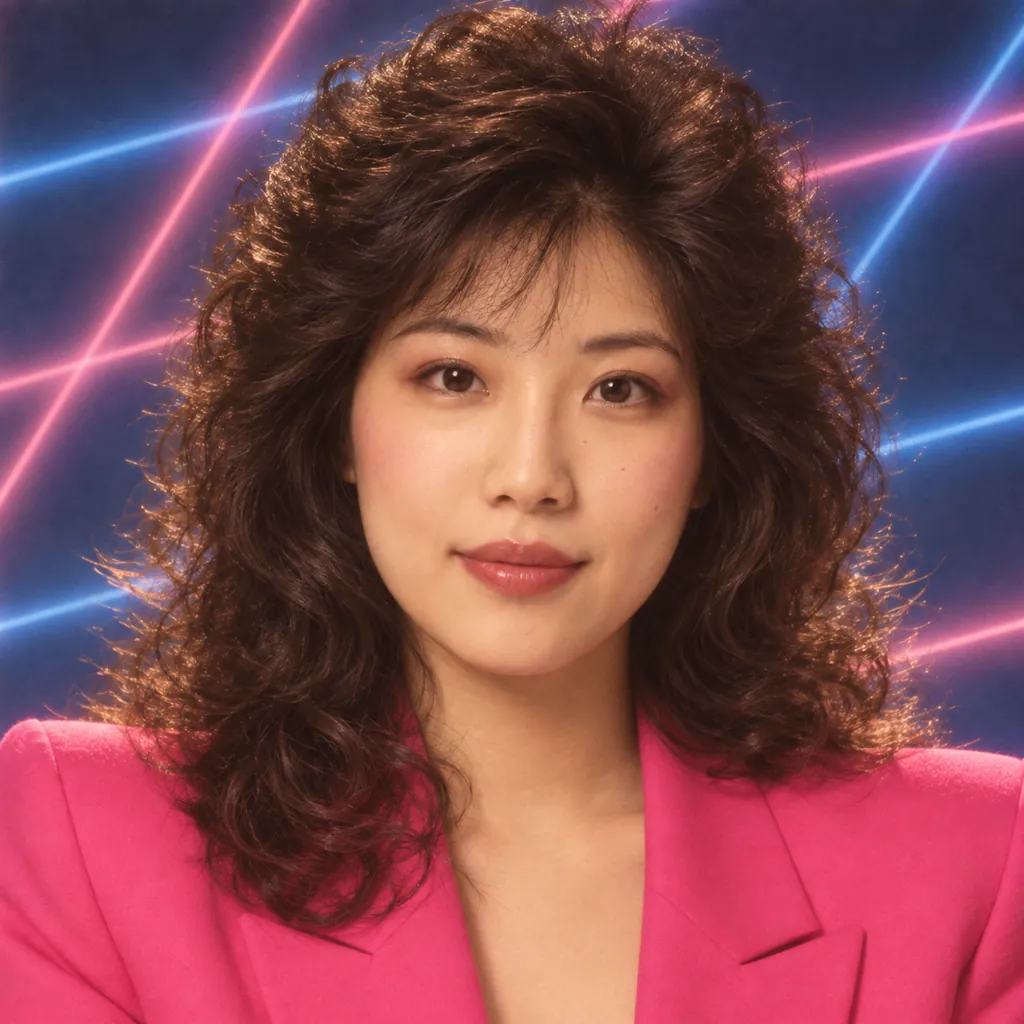
Restyle the person in the photo as a 1980s mall studio portrait: teased, permed hair with glossy volume, a hot-pink shoulder-pad blazer, a blue laser-grid backdrop, soft diffused studio flash, and warm amber color grading, framed as a close-up headshot.
Swap 'hot-pink' for 'electric blue' to change the blazer color.
Copies the prompt; just paste it in Gemini
#2
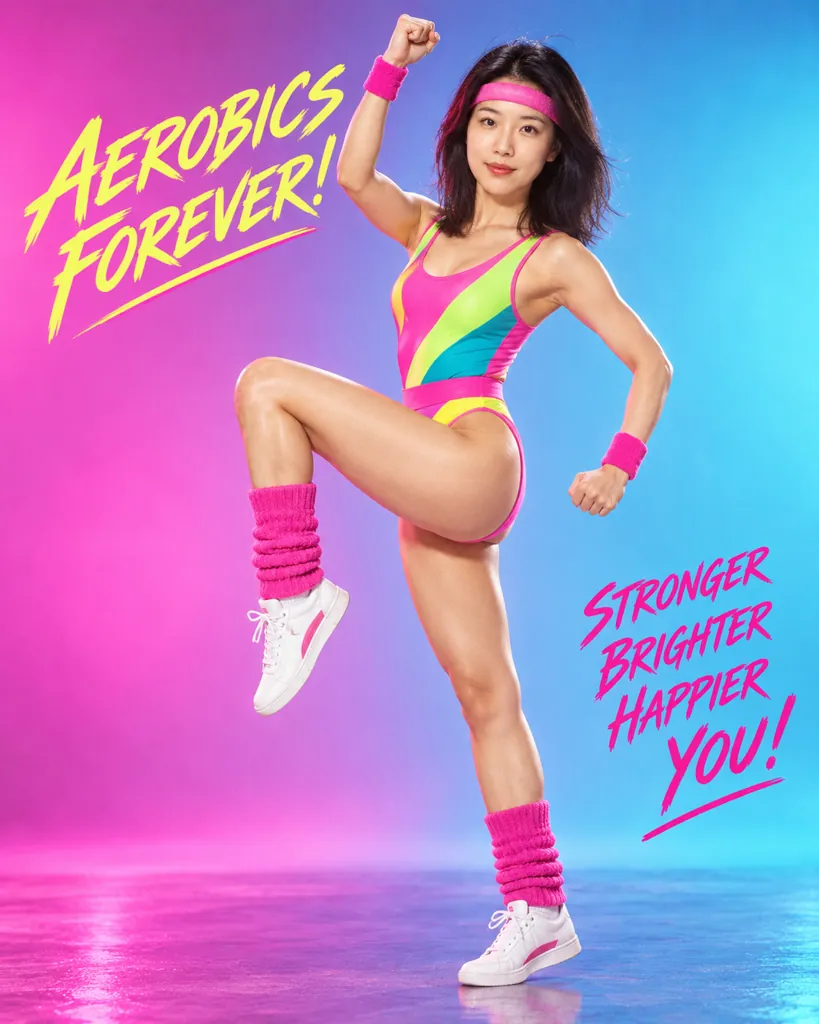
Turn the person in the photo into an 80s aerobics poster shot: a neon leotard with a matching headband, leg warmers, high-contrast studio lighting, a magenta-to-cyan gradient backdrop, punchy saturated color, and a full-body dynamic action pose.
Add 'more voluminous perm' if the hair looks too flat.
Copies the prompt; just paste it in Gemini
#3
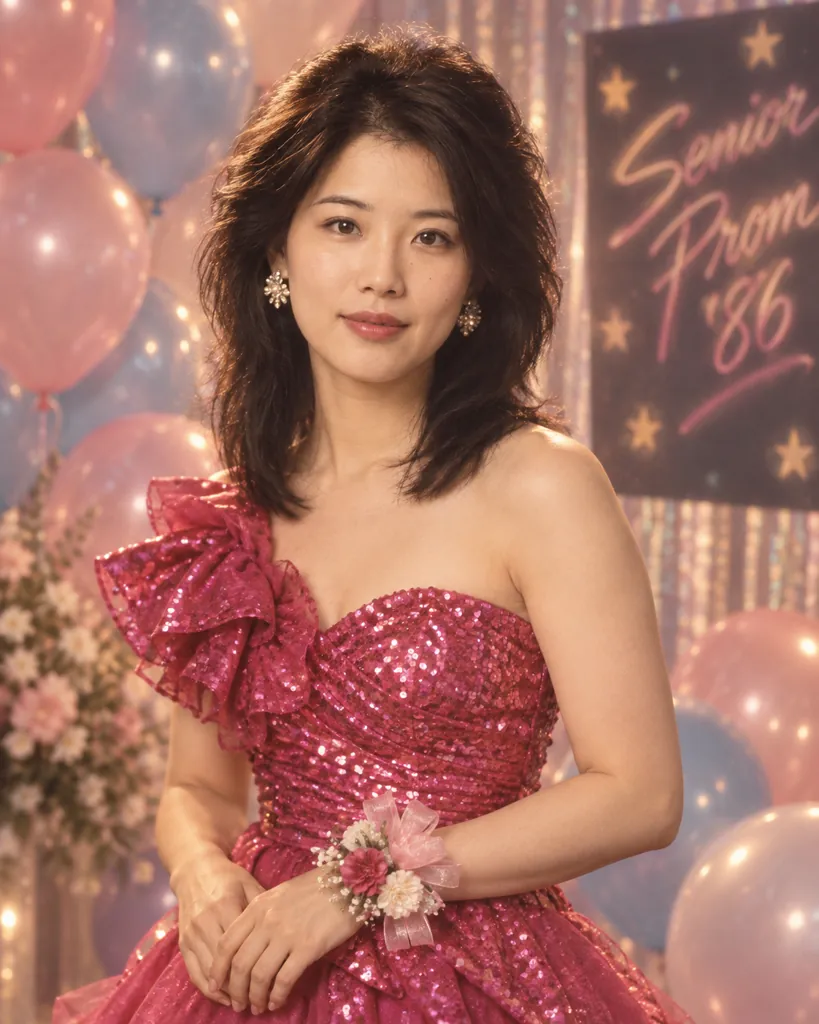
Reimagine the person in the photo at an 80s prom: a sequined dress or a tuxedo with a skinny tie, a pastel balloon backdrop, soft-focus lens glow, warm tungsten lighting, and a relaxed half-body pose with hands clasped.
Copies the prompt; just paste it in Gemini
#4
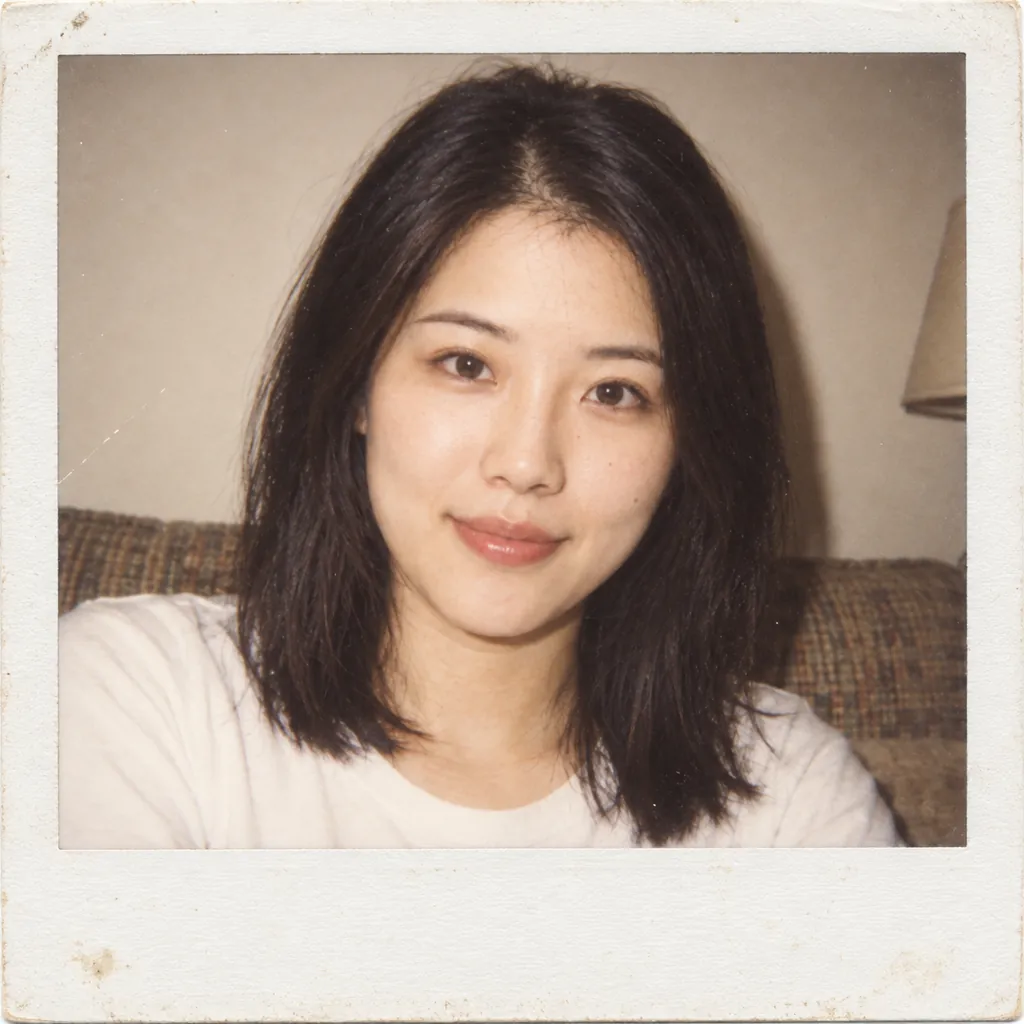
Convert the person in the photo into a square-format 1980s instant-film snapshot: a bright direct on-camera flash, a thick white photo border, slightly faded warm color tones, a plain living-room backdrop, and a casual close-up smile.
Copies the prompt; just paste it in Gemini
#5
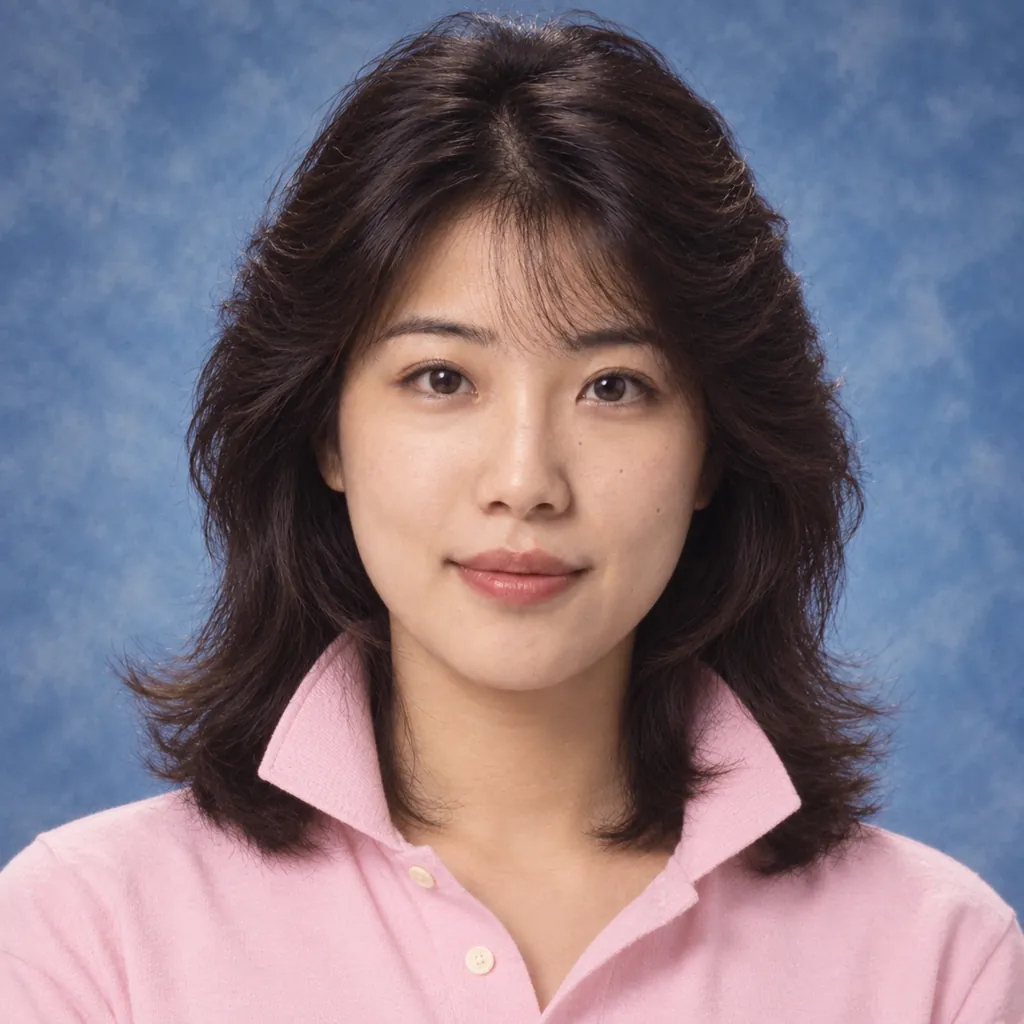
Style the person in the photo as an 80s yearbook photo: feathered bangs, a pastel polo with a popped collar, a marbled blue studio backdrop, even soft-box lighting with no harsh shadows, and a centered close-up headshot crop.
Ask for 'braces' or 'glasses' to match your real yearbook look.
Copies the prompt; just paste it in Gemini
#6
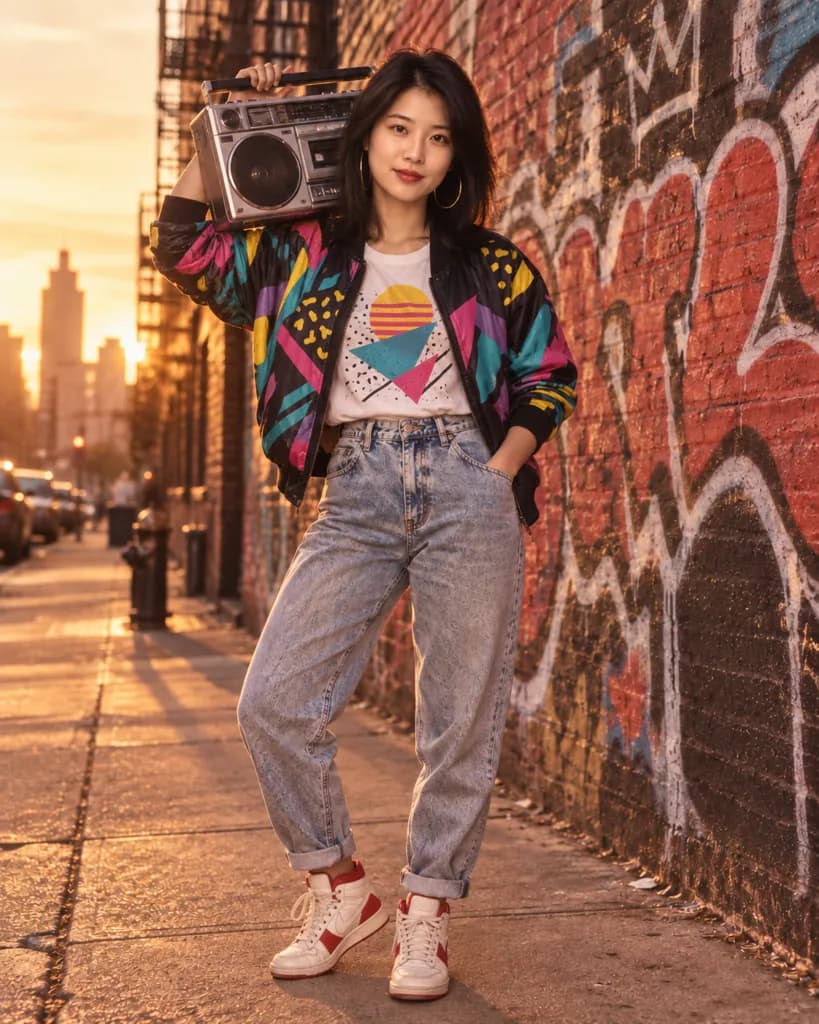
Turn the person in the photo into an 80s street style portrait at golden hour: a bomber jacket with a bold graphic print, a boombox resting on one shoulder, a graffiti-covered brick wall background, warm low-sun lighting, and a full-body candid stance.
Copies the prompt; just paste it in Gemini
Frequently asked questions
Why doesn't the result look like me?
Start with a clear, front-facing, well-lit photo. Blurry, dark, or angled source photos make it harder for Gemini to keep your real facial features while changing the hair, wardrobe, and lighting.
Can I use this prompt on a photo of someone else?
Yes, as long as it is a photo you have permission to edit, such as a friend or family member. Attach their photo instead of your own and the same prompt applies the same 80s look to them.
Do I need any editing software to use these prompts?
No. Copy the prompt text, open Gemini, attach your photo, and paste the prompt as a message. Gemini handles the styling for you in one reply, no separate app required.
Can I combine two looks, like the mall hair with the arcade background?
Yes, paste one prompt first, then reply asking Gemini to blend in a detail from a second prompt, such as the backdrop or wardrobe.