A couple portrait usually needs matching lighting, a coordinated backdrop, and a pose that does not look stiff, which is hard to plan without a photographer directing both people. This page has seven Gemini prompts for a photo of two people together, covering candid outdoor shots, a formal studio portrait, a sunset silhouette, and a cozy at-home look, each one describing the pose, wardrobe, lighting, and background needed for a photo that feels natural instead of two separate edits stitched together. Copy a prompt, open a Gemini chat, attach a clear photo of both people together, and paste the prompt as your message; a sample image next to each prompt shows the target result. Small edits are simple, such as changing 'golden hour lighting' to 'soft overcast lighting.' Two issues to watch for. If the source photo is dark, blurry, or one person is partly out of frame, either face can end up looking less accurate, so start with a clear photo where both faces are visible and well lit. If the background looks busy or mismatched between the two people, reply in the same chat and ask Gemini for a 'simpler, unified background.' When we ran all seven prompts in Gemini on an AI-generated couple photo, the faces we could see clearly stayed recognizable, but in four results one or both of them showed teeth, though both smile with closed lips in the photo; two cut her long hair to about shoulder length, and one changed her blonde hair to brown. Ending a prompt with 'Keep both people's exact facial expressions and mouths from the photo; do not add or widen their smiles.' kept both smiles in all four of our runs, though both people then faced the camera. Uploading your photo needs a signed-in Google account.
i
Sample images were made by running each exact prompt in an AI image generator on an AI-generated stand-in photo. Your result will not match the sample exactly: it depends on your photo, the model and version you use, and the randomness of each run.
Only upload a photo of yourself, or of an adult who has agreed to it. Please don't use these prompts on photos of anyone under 18.
The 7 prompts
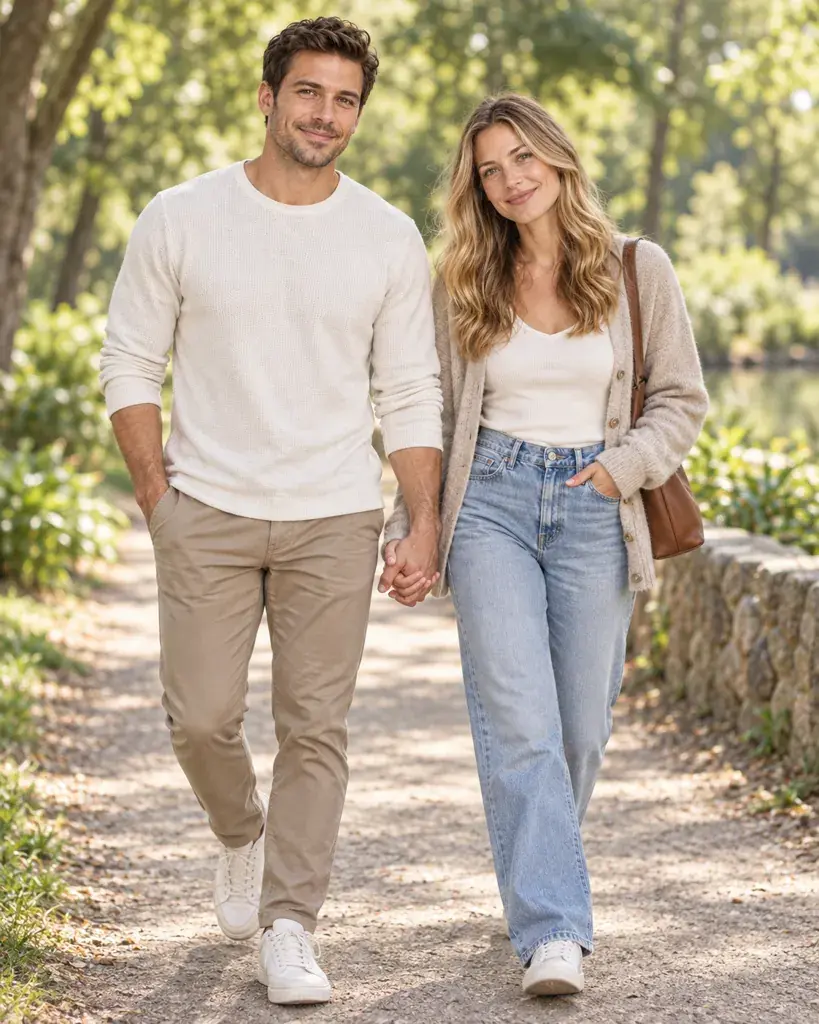
AI-generated sample
Prompt #1
Restyle the two people in the photo as a candid outdoor couple portrait: casual coordinated outfits in neutral tones, soft natural daylight, a softly blurred park path in the background, warm natural color grading, and a full-body walking pose holding hands.
Copies the prompt; just paste it in Gemini
Tip: Change 'neutral tones' to a specific color scheme both of you like.
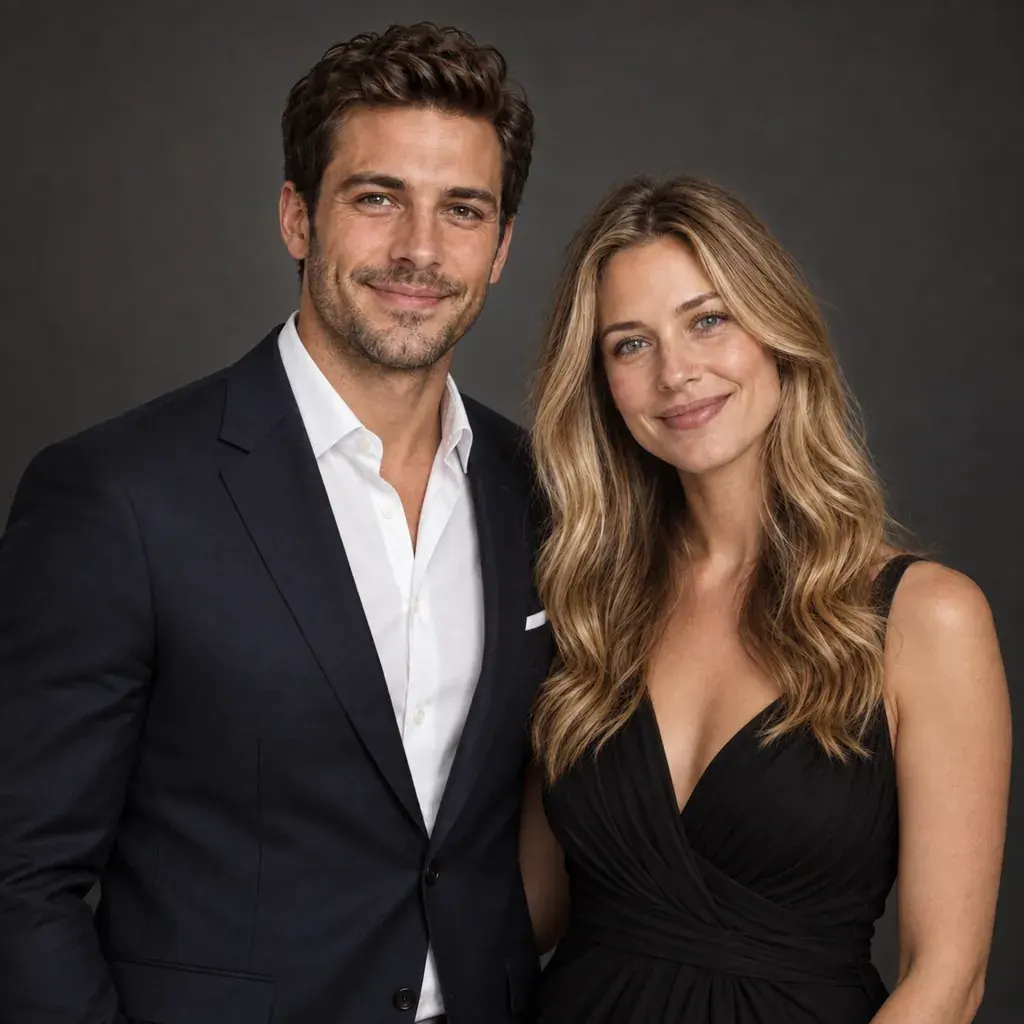
AI-generated sample
Prompt #2
Turn the two people in the photo into a formal studio couple portrait: coordinated formal attire, one in a suit and one in an elegant dress, soft dramatic studio lighting, a plain dark grey backdrop, rich color grading, and a half-body pose standing close together.
Copies the prompt; just paste it in Gemini
AI-generated sample
Prompt #3
Reimagine the two people in the photo as a sunset silhouette portrait: simple flowing outfits, warm orange-and-pink sky lighting from behind, the two figures rendered mostly as a soft silhouette, a wide open beach or field background, and a full-body pose facing each other.
Copies the prompt; just paste it in Gemini
Tip: Swap 'beach' for 'open field' if that matches your actual photo.
AI-generated sample
Prompt #4
Convert the two people in the photo into a cozy at-home couple portrait: comfortable knit sweaters, soft warm window light, a softly blurred living-room background with a couch visible, gentle warm color grading, and a half-body seated pose leaning together.
Copies the prompt; just paste it in Gemini
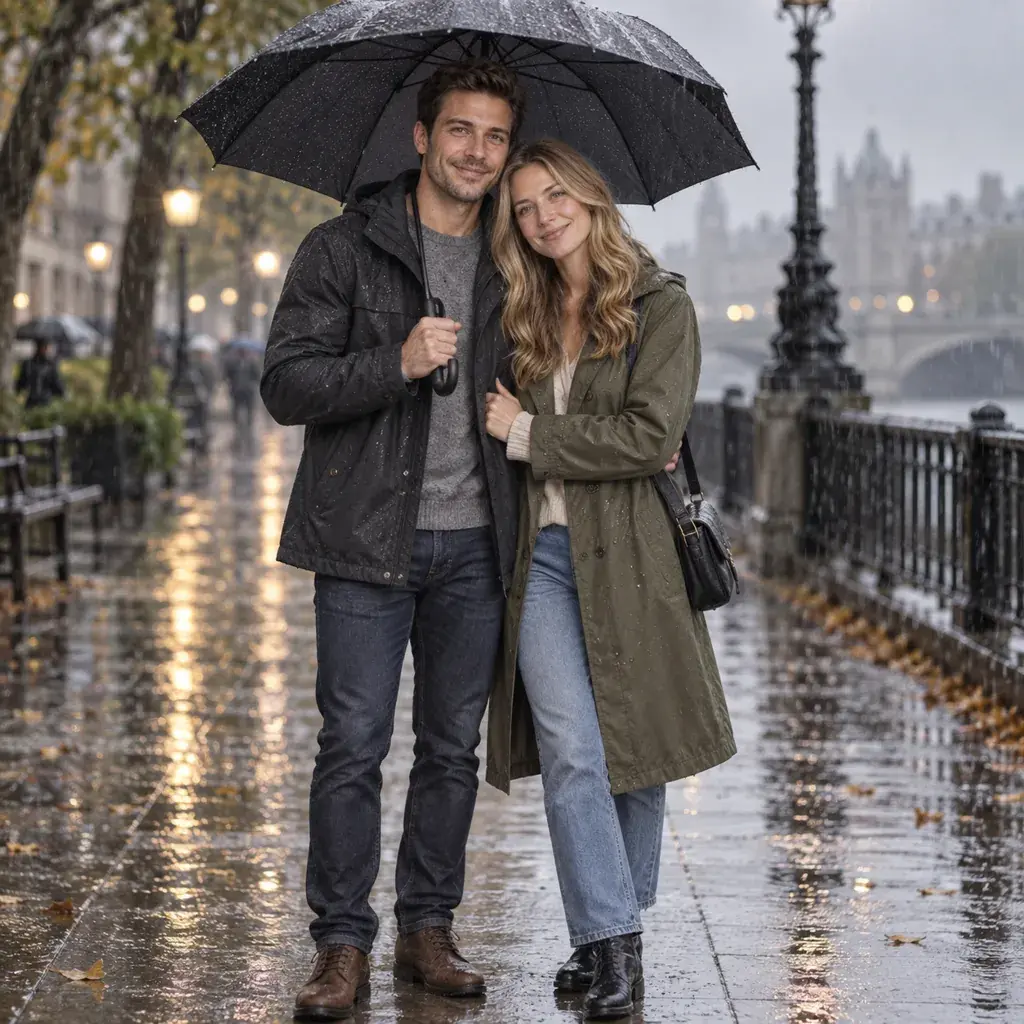
AI-generated sample
Prompt #5
Style the two people in the photo under a shared umbrella on a rainy day: casual coats, soft overcast daylight, glossy wet pavement reflections in the background, muted cool color grading, and a full-body pose standing close under the umbrella.
Copies the prompt; just paste it in Gemini
Tip: Ask for 'brighter lighting' if the rainy mood feels too dark.
AI-generated sample
Prompt #6
Make the two people in the photo look like they are on a cafe date: casual smart outfits, warm ambient cafe lighting, a softly blurred background with a coffee cup visible on the table, warm inviting color tones, and a half-body seated pose across a small table.
Copies the prompt; just paste it in Gemini
AI-generated sample
Prompt #7
Place the two people in the photo in front of a soft floral studio backdrop for an anniversary portrait: elegant coordinated outfits, soft diffused key lighting, a pale floral-patterned backdrop, gentle pastel color grading, and a close half-body pose with foreheads gently touching.
Copies the prompt; just paste it in Gemini
Tip: Mention an actual flower type if you want it shown in the backdrop.
Frequently asked questions
Why doesn't the result look like us?
Start with a clear photo where both faces are visible, well lit, and facing roughly toward the camera. If one person is partly turned away or in shadow, that face is harder for Gemini to keep accurate.
Can I use this on a photo of two friends instead of a romantic couple?
Yes, if both are adults who have agreed to it. The prompts describe the setting, clothes and pose rather than the relationship, though some poses, like the forehead touch, are romantic, so pick the ones that suit you. Please don't use these prompts on photos of anyone under 18.
What if the pose looks a little stiff or unnatural?
Reply in the same chat and ask Gemini to make the pose more relaxed or candid, or try a source photo where you are already standing closer together.
Can I combine two prompts, like the sunset lighting with the cafe background?
You can try: paste one prompt first, then reply asking Gemini to blend in a detail from a second prompt, such as the lighting or backdrop style. Check both faces and the whole picture afterwards: in our same-chat tests on other pages, Gemini also changed things we hadn't asked for.