1980s photo prompts often blur together with generic '80s' filters, so this page focuses on the specific details that made a real 1980s studio photo look the way it did: vivid slide-film color saturation, structured shoulder-pad blazers, chunky statement jewelry, and the punchy on-camera flash used by department-store photo studios of the era. Ten prompts below are written for Gemini's photo mode, each describing wardrobe, lighting, film color rendering, and backdrop in enough detail to get a period-accurate result instead of a vague vintage look. Copy a prompt, open Gemini, attach a clear photo of yourself, and paste the prompt as a message; a sample image next to each one shows what to expect before you spend a generation. Small edits are easy: change 'jewel-tone blazer' to a specific color, or add 'more film grain' if you want a grittier look. Two common issues to watch for: if your source photo is low-resolution or taken from far away, the face can lose detail and look less like you, so start with a sharp, well-lit, front-facing photo; and if the backdrop looks too busy or the geometric pattern too loud, ask Gemini in a follow-up message to simplify the backdrop or lower the pattern contrast. The first seven focus on studio color science and period fabric; the last three cover classic 80s pop-culture scenes: an aerobics poster, a neon arcade, and a boombox street-style shot. These prompts work best on solo portraits. No extra app is needed, though uploading a photo to Gemini needs a signed-in Google account.
Sample images were made by running each exact prompt in an AI image generator on an AI-generated stand-in photo. Your result will not match the sample exactly: it depends on your photo, the model and version you use, and the randomness of each run.
Only upload a photo of yourself, or of an adult who has agreed to it. Please don't use these prompts on photos of anyone under 18.
The 10 prompts
AI-generated sample
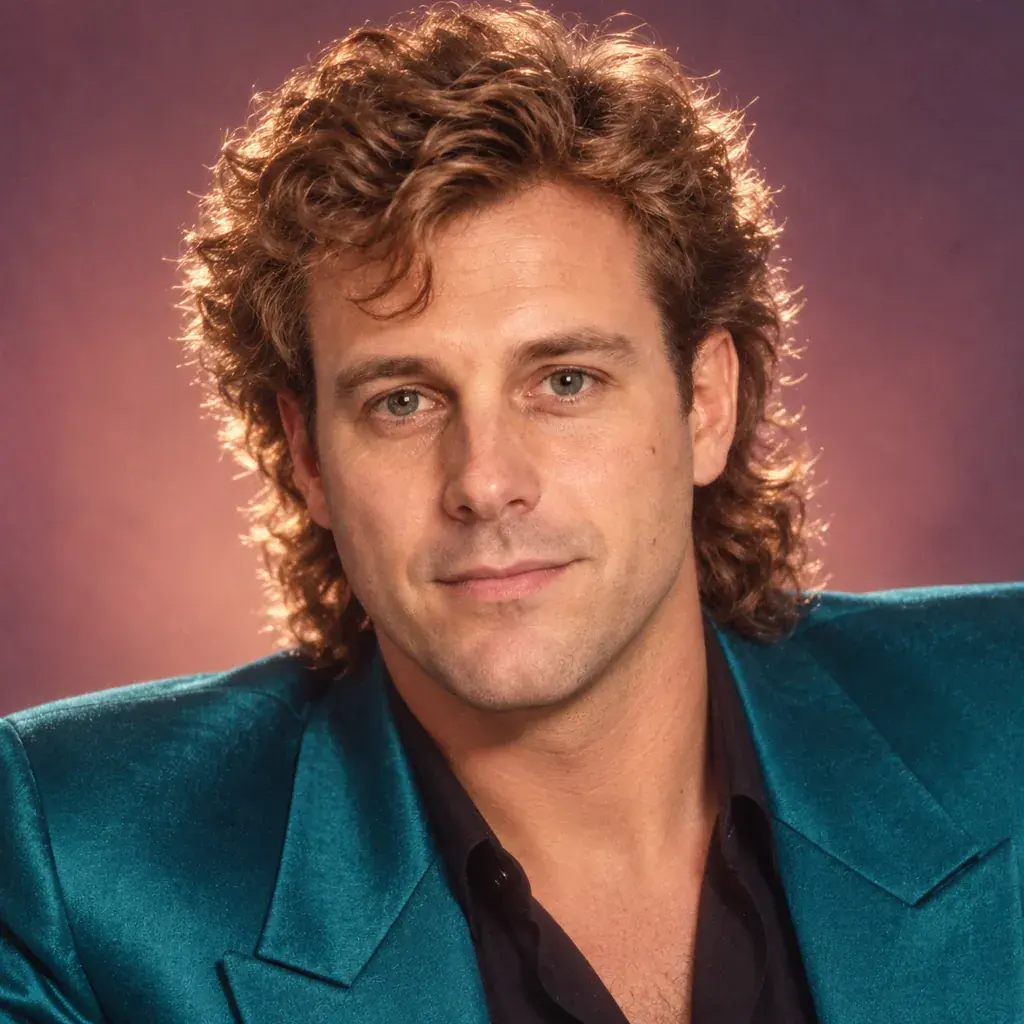
Prompt #1
Restyle the person in the photo as a 1980s glamour studio portrait: voluminous permed hair with a glossy sheen, a jewel-tone shoulder-pad blazer, warm slide-film-style color saturation, soft diffused key light, fine film grain, and a tight close-up crop on the face and shoulders.
Copies the prompt; just paste it in Gemini
Tip: Try 'auburn perm' instead of a glossy sheen for a different hair color.
AI-generated sample
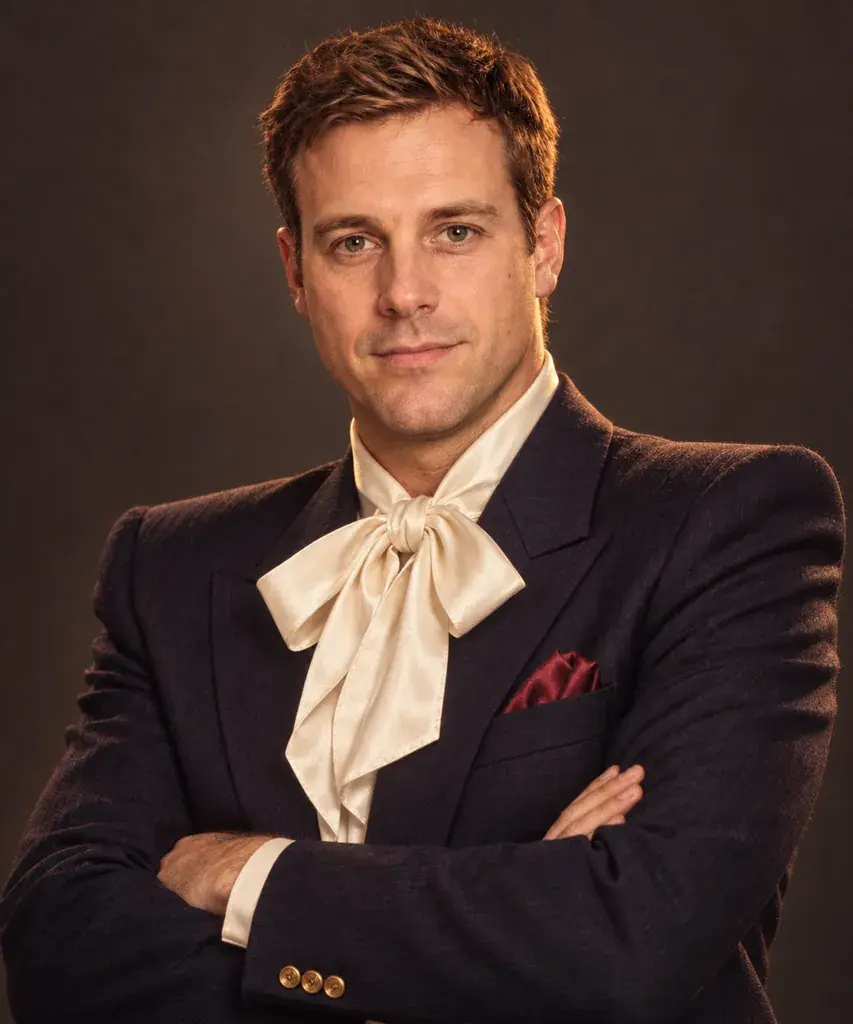
Prompt #2
Turn the person in the photo into a 1980s power-suit portrait: a structured blazer with bold shoulder pads, a silk blouse with an oversized bow, warm studio tungsten lighting, rich saturated color grading, a plain charcoal backdrop, and a confident half-body pose with arms crossed.
Copies the prompt; just paste it in Gemini
AI-generated sample
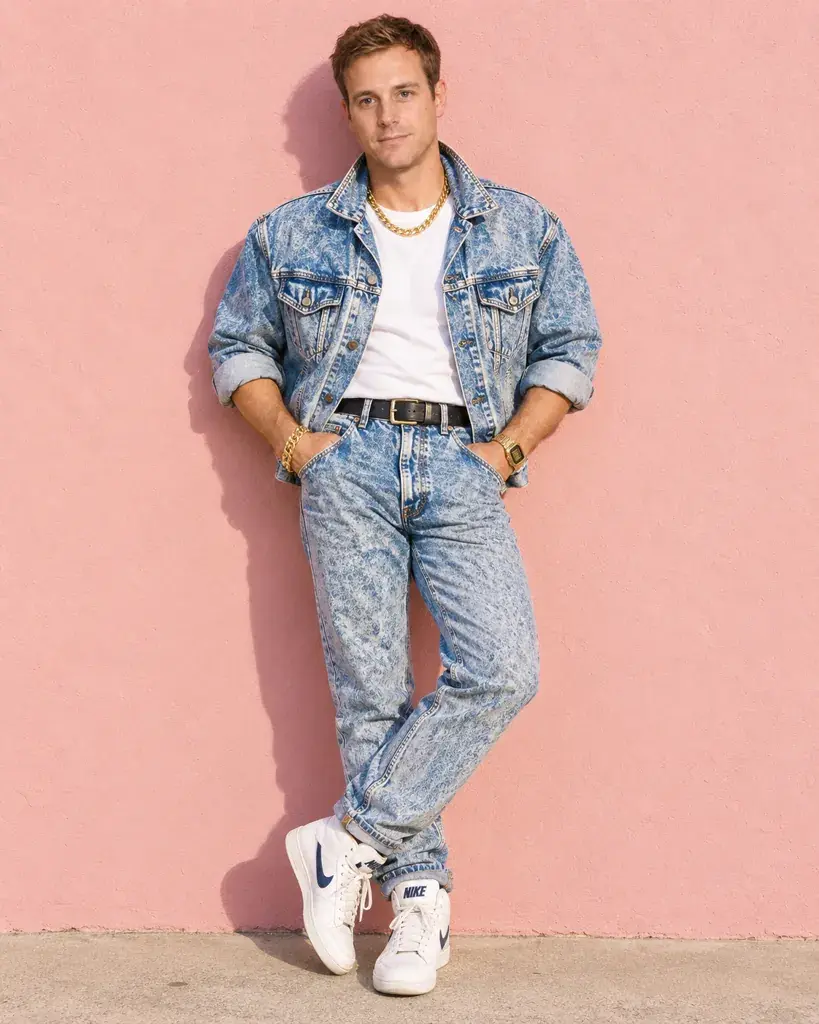
Prompt #3
Reimagine the person in the photo in stone-washed 1980s denim: a denim jacket with rolled sleeves, chunky gold jewelry, bright natural daylight, punchy saturated film color, a plain pastel wall background, and a relaxed full-body stance.
Copies the prompt; just paste it in Gemini
Tip: Add 'sunglasses' for a more casual denim-days feel.
AI-generated sample
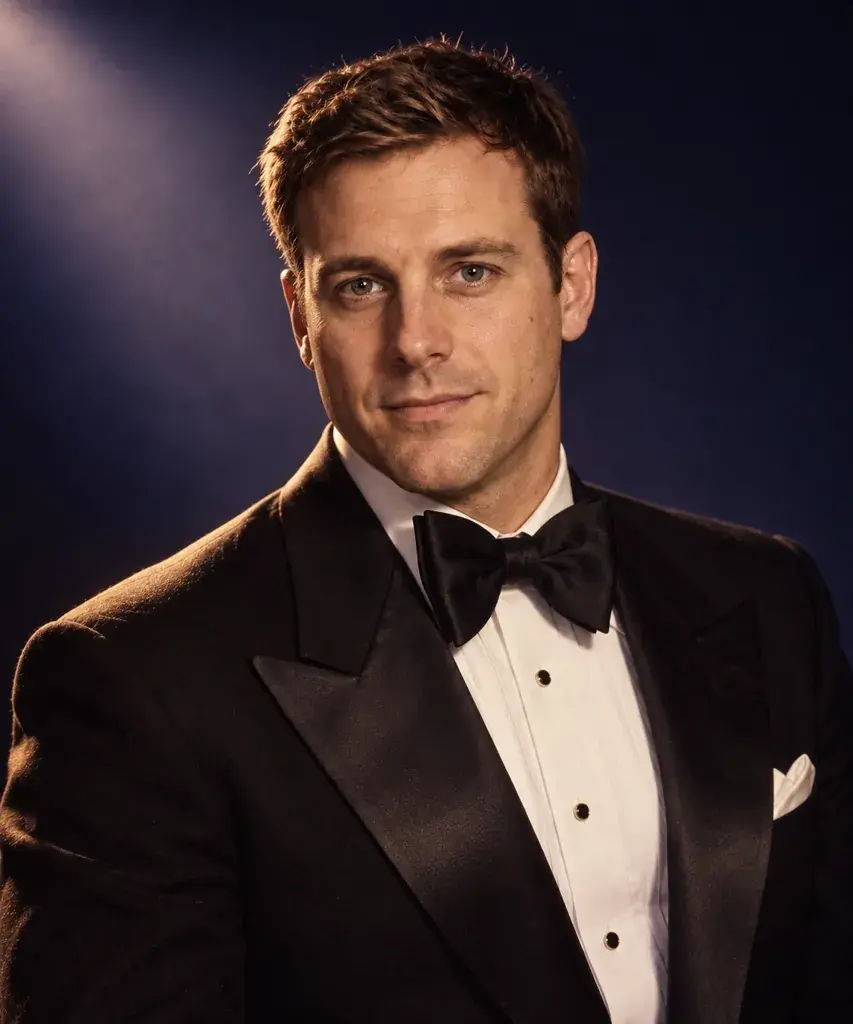
Prompt #4
Convert the person in the photo into a 1980s evening gala portrait: a taffeta dress with puffed sleeves or a tuxedo with a wide bow tie, dramatic side lighting, deep jewel-toned color grading, a dark studio backdrop with a soft spotlight, and an elegant half-body pose.
Copies the prompt; just paste it in Gemini
AI-generated sample
Prompt #5
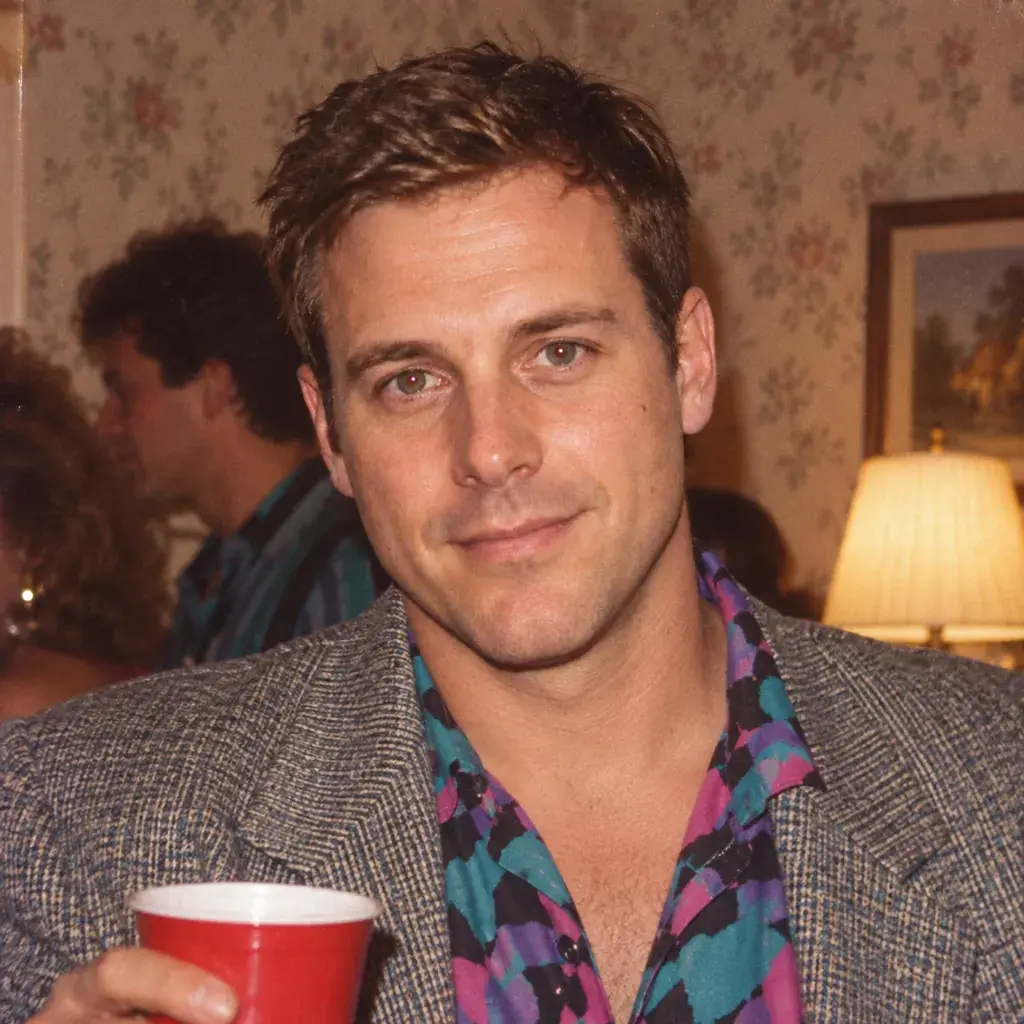
Style the person in the photo as a candid 1980s flash snapshot at a house party: a bold-shouldered top, a direct on-camera flash with slight red-eye, warm indoor incandescent ambient light, visible film grain, muted wallpaper in the background, and a casual close-up smile.
Copies the prompt; just paste it in Gemini
Tip: Ask for 'less red-eye' if the flash effect looks too harsh.
AI-generated sample
Prompt #6
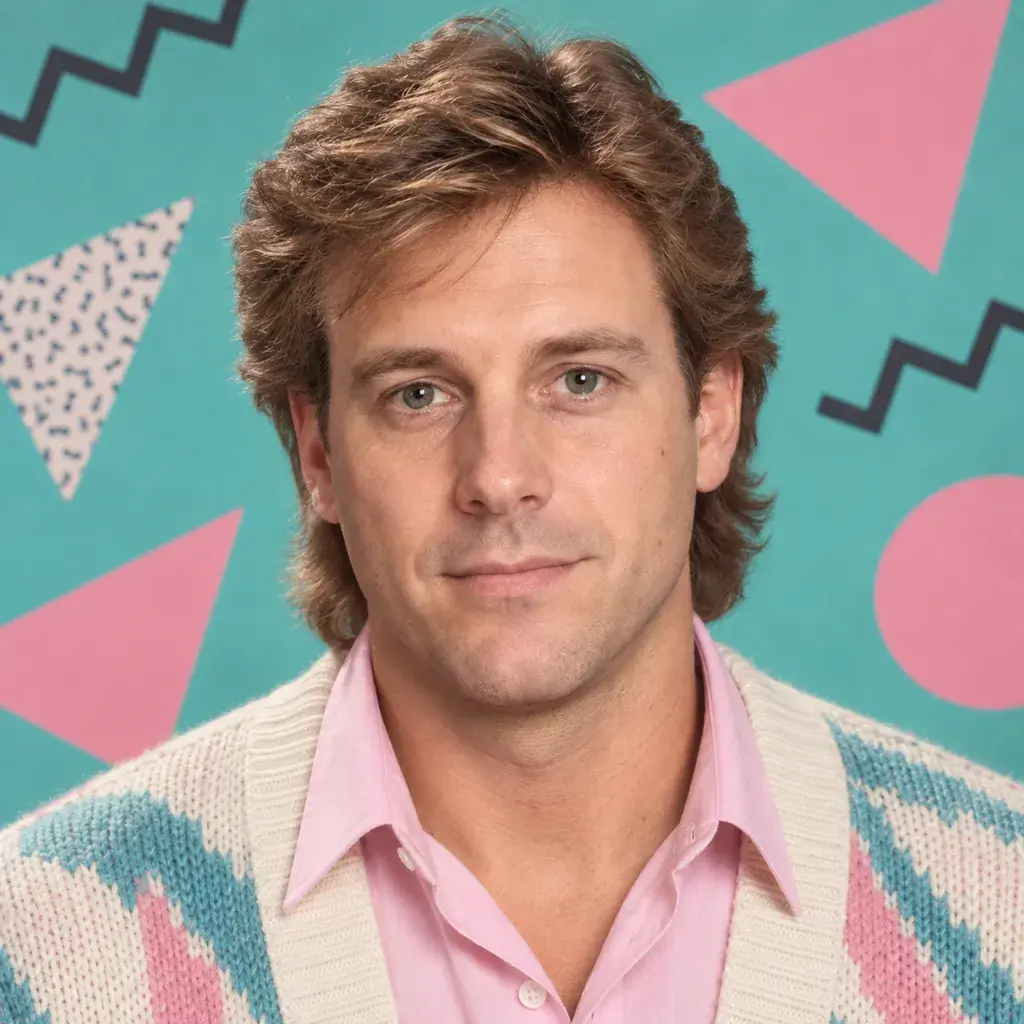
Make the person in the photo look like a 1980s department-store studio portrait: feathered layered hair, a collared shirt under a cardigan, a geometric Memphis-pattern backdrop in teal and pink, bright even studio strobe lighting, and a centered close-up headshot.
Copies the prompt; just paste it in Gemini
AI-generated sample
Prompt #7
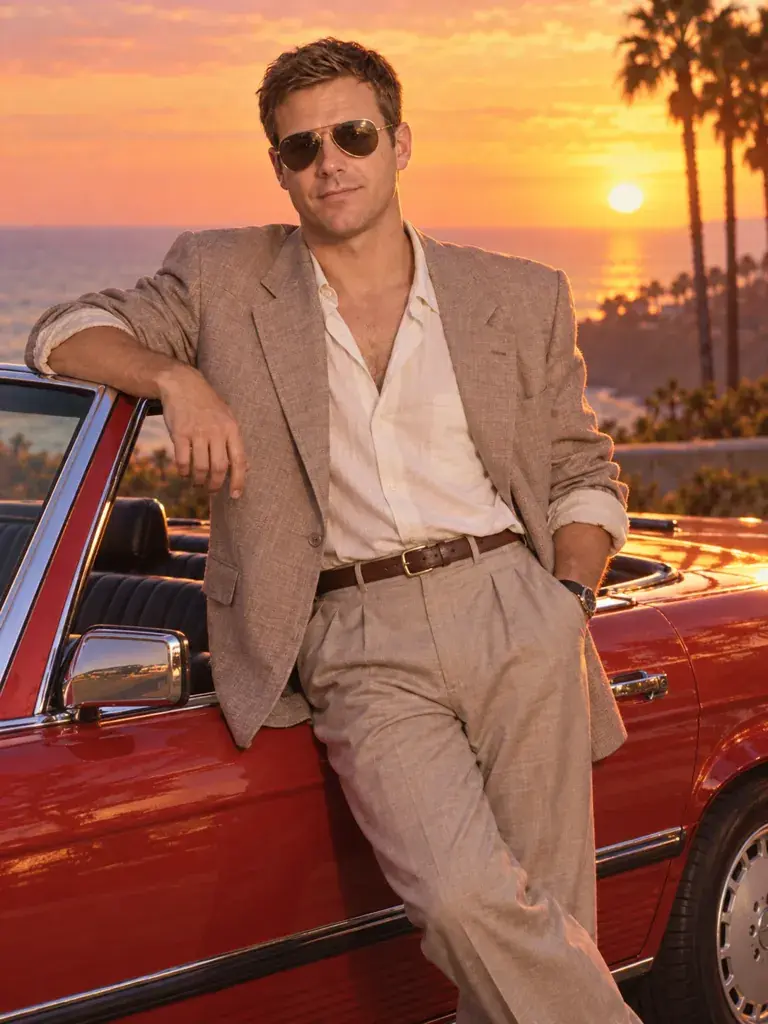
Place the person in the photo beside a classic convertible at sunset in 1980s style: an oversized blazer with the sleeves pushed up, aviator-style sunglasses, warm golden-hour light, rich saturated slide-film color, and a relaxed full-body pose leaning on the car door.
Copies the prompt; just paste it in Gemini
Tip: Swap the convertible color if you want a different accent hue.
AI-generated sample
Prompt #8
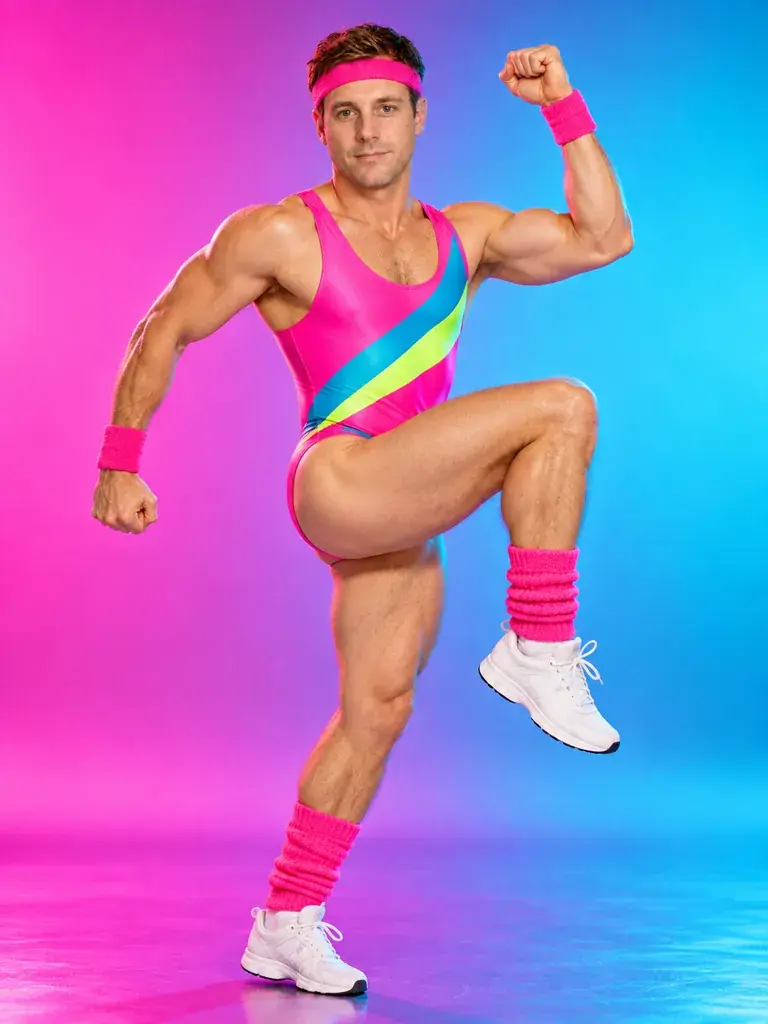
Turn the person in the photo into an 80s aerobics poster shot: a neon leotard with a matching headband, leg warmers, high-contrast studio lighting, a magenta-to-cyan gradient backdrop, punchy saturated color, and a full-body dynamic action pose.
Copies the prompt; just paste it in Gemini
Tip: Add 'more voluminous perm' if the hair looks too flat.
AI-generated sample
Prompt #9
Place the person in the photo in a neon-lit 80s arcade: an acid-wash denim jacket, candid over-the-shoulder framing, grainy 35mm film texture without film-edge markings, glowing unbranded arcade cabinets in the background (no logos, game characters or readable text), and cool blue-and-pink color contrast.
Copies the prompt; just paste it in Gemini
Tip: Mention 'daytime arcade' if you'd rather skip the neon glow.
AI-generated sample
Prompt #10
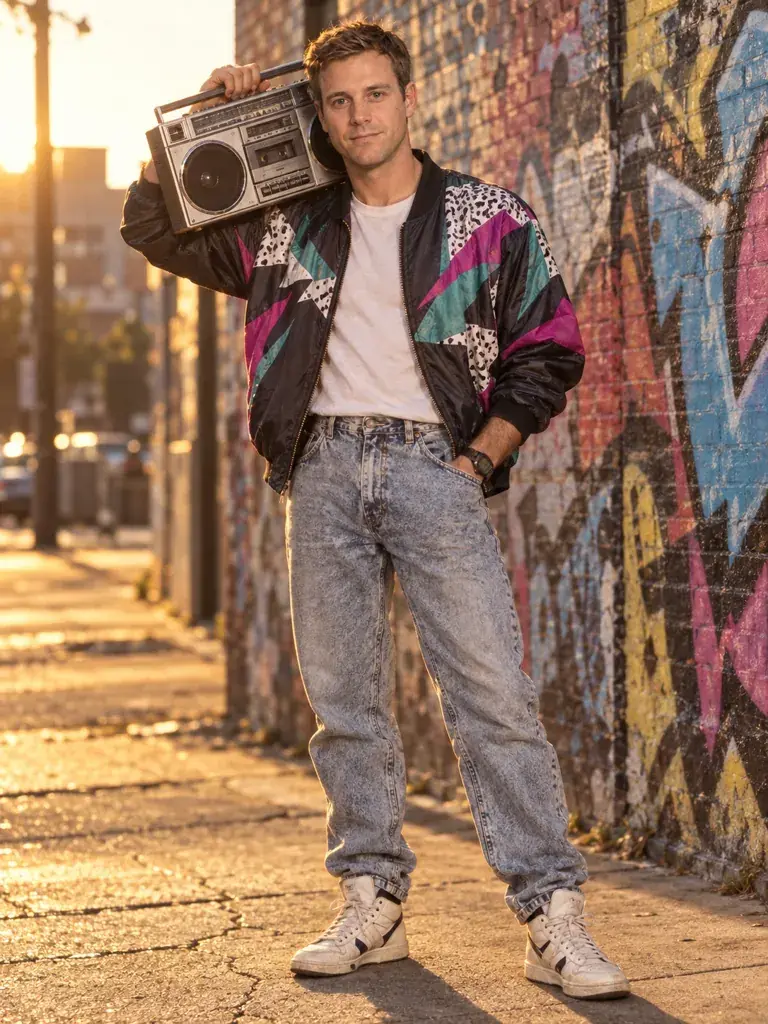
Turn the person in the photo into an 80s street style portrait at golden hour: a bomber jacket with a bold graphic print, a boombox resting on one shoulder, a graffiti-covered brick wall background, warm low-sun lighting, and a full-body candid stance.
Copies the prompt; just paste it in Gemini
How to use these prompts in Gemini
1Use a sharp, front-facing photo. The face held up best in looks that keep a hairstyle close to yours; a perm or long feathered hair made it read like someone else in our tests.
2Open gemini.google.com (we tested the web version) and start a new chat, or a Temporary chat, which stays out of your history but is kept by Google for 72 hours.
3Tap +, choose Upload files, add the photo and paste a prompt from this page. We left the model on Flash-Lite; portraits usually appeared in under 15 seconds and came back square.
4Check the clothes, the background and any car before you share it: Gemini sometimes adds words or a real brand badge, which spoils the period look.
5Save it with the download button. If a detail is off, run the prompt again in a new chat or reply in the same chat with the one change you want, then check the whole picture again.
When the result goes wrong
The face looks like someone else
The faces drifted in prompts 1 and 6, which swap your hair for a perm or long feathered hair, and in prompt 5, which asks for a casual smile: Gemini darkened the hair and made the smile toothy, and the person read differently though the features were close. Prompts 7, 8 and 10 don't mention your expression, yet all three came back smiling, from a closed-mouth smile in prompt 10 to an open-mouthed laugh in prompt 8. Adding 'keep the face, eyes, nose, jawline and skin tone exactly as in the photo' to prompt 6 didn't help in our single re-run. Keeping your own hairstyle did (the first version below).
Words and brand badges appear
Prompt 8 came back as a poster reading 'AEROBICOMANIA '86, FEEL THE BURN!', prompt 10 printed 'URBAN BEAT' on the jacket, and the convertible in prompt 7 had a carmaker's roundel on one wheel. Asking for 'no words or logos' on the jacket and 'an unbranded classic convertible with no badges or logos' removed both in our single re-runs; the car re-run also dropped the shirt under the blazer, since the prompt doesn't name one. We didn't re-test prompt 8's lettering.
Strangers in the shot
Prompt 10 put three people walking behind you, with two more further down the street, and the party in prompt 5 filled the background with guests, fine for a party but not for a solo portrait. Our single re-run of prompt 10 with 'no other people in the frame' had nobody else in it (the second version below).
Other ways to word it
Department-store portrait that keeps your own hair
Make the person in the photo look like a 1980s department-store studio portrait while keeping their own hairstyle and face exactly as in the photo: a collared shirt under a cardigan, a geometric Memphis-pattern backdrop in teal and pink, bright even studio strobe lighting, and a centered close-up headshot. Change only the clothes, lighting and background.
In our single re-run the face looked like the photo, while the same look with feathered hair made it read like someone else.
Street style with no words, logos or passers-by
Turn the person in the photo into an 80s street style portrait at golden hour: a bomber jacket with a bold abstract color-block print and no words or logos, a boombox resting on one shoulder, a graffiti-covered brick wall background with no readable words, warm low-sun lighting, and a full-body candid stance with no other people in the frame.
Our single re-run had a colour-block jacket with no words and nobody else in the frame; the graffiti still looked like lettering, but no word was readable.
Last tested
: We ran all ten prompts on gemini.google.com, each in a new temporary chat with the model left on Flash-Lite and our AI-generated stand-in photo, then re-ran the two versions above, prompt 6 with a keep-the-face line and prompt 7 with an unbranded car, once each. Every hand that showed came out right; the face held up in seven.
Frequently asked questions
Why doesn't the result look like me?
Start with a clear, front-facing, well-lit photo. Blurry, dark, or angled source photos make it harder for Gemini to keep your real facial features while changing the hair, wardrobe, and lighting.
Can I use this prompt on a photo of someone else, like a parent or sibling?
Yes, if they are an adult and you have their permission. Attach their photo instead of your own and the same prompt restyles them in the same 1980s look. Please don't use these prompts on photos of anyone under 18.
Can I ask for a different decade-specific color palette?
Yes, name the shift in the prompt, for example 'cooler blue tones' or 'more pastel'. You can also ask in the same chat after the first result, but check the whole picture again, because in our tests a same-chat change could alter more than you asked for.
How do I make a photo look like it's from the 1980s?
Name a specific 1980s wardrobe detail, like a shoulder-pad blazer or chunky gold jewelry, add permed or feathered hair, and ask for warm slide-film color with fine grain, or a direct on-camera flash for an indoor shot. The ten prompts above show exactly how to combine those details.
Can I combine two looks, like the glamour studio hair with the arcade background?
You can try: paste one prompt first, then reply asking Gemini to blend in a detail from a second prompt, such as the backdrop or wardrobe. As with any same-chat change, check the whole picture again. Google says the image model Gemini uses with the Flash-Lite setting isn't built for repeated edits, so if it goes wrong, start a new chat with one prompt that describes both.