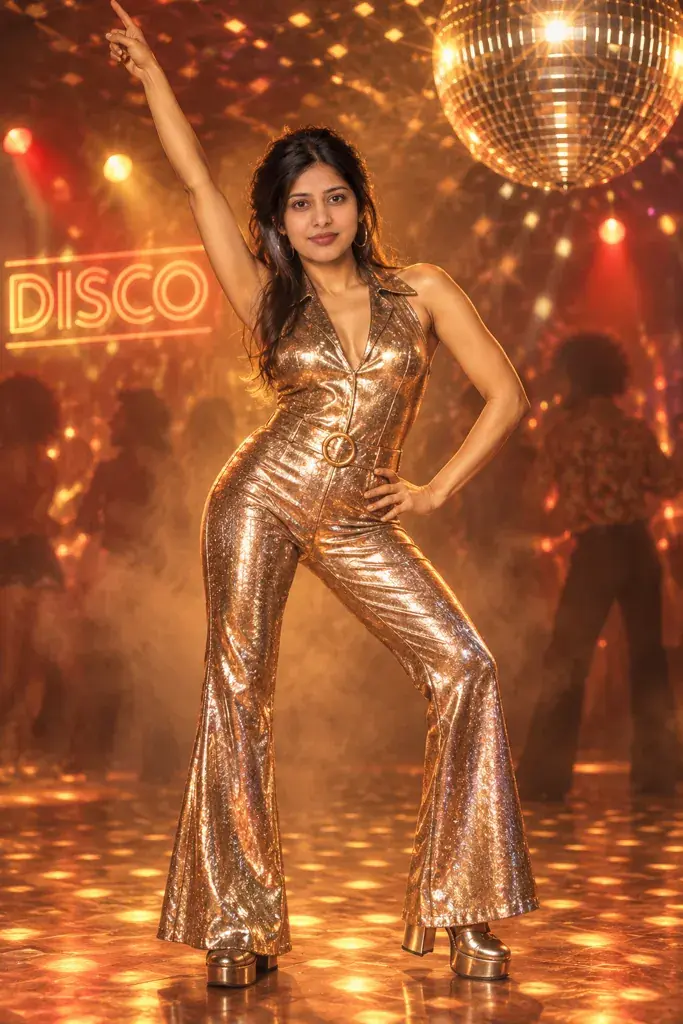
Y2K style is unmistakable once you see it again: low-rise jeans, chunky face-framing highlights, metallic or iridescent fabric, and the flat, overexposed flash of an early digital point-and-shoot camera. This page gives you seven Gemini prompts that bring that early-2000s look to an ordinary phone photo, each one spelling out wardrobe, hair, lighting, and camera texture so the result feels like a real photo from that period rather than a generic sparkle filter. Copy any prompt, open a Gemini chat, attach a clear photo, and paste the text as your message; a sample image next to each prompt shows the target result before you spend a generation. Adjusting a look only takes a word or two: swap 'metallic pink top' for another color, or add 'softer flash' if the digital-camera glare feels too harsh. Two issues to watch for. If your source photo is small, dark, or taken at a strong angle, the face can end up looking less like you, so start with a sharp, front-facing, well-lit photo. If the background looks cluttered, for example a busy mall food court, mention 'simple background' in a follow-up reply, then check the whole picture again, since a follow-up can change more than you asked for. These prompts don't ask for brand logos, screen names, or specific devices; they describe the fashion and photo style only, though Gemini sometimes adds real brand names on its own. No extra app is needed; everything happens in your Gemini chat, though uploading a photo needs a signed-in Google account.
Sample images were made by running each exact prompt in an AI image generator on an AI-generated stand-in photo. Your result will not match the sample exactly: it depends on your photo, the model and version you use, and the randomness of each run.
Only upload a photo of yourself, or of an adult who has agreed to it. Please don't use these prompts on photos of anyone under 18.
The 7 prompts
AI-generated sample
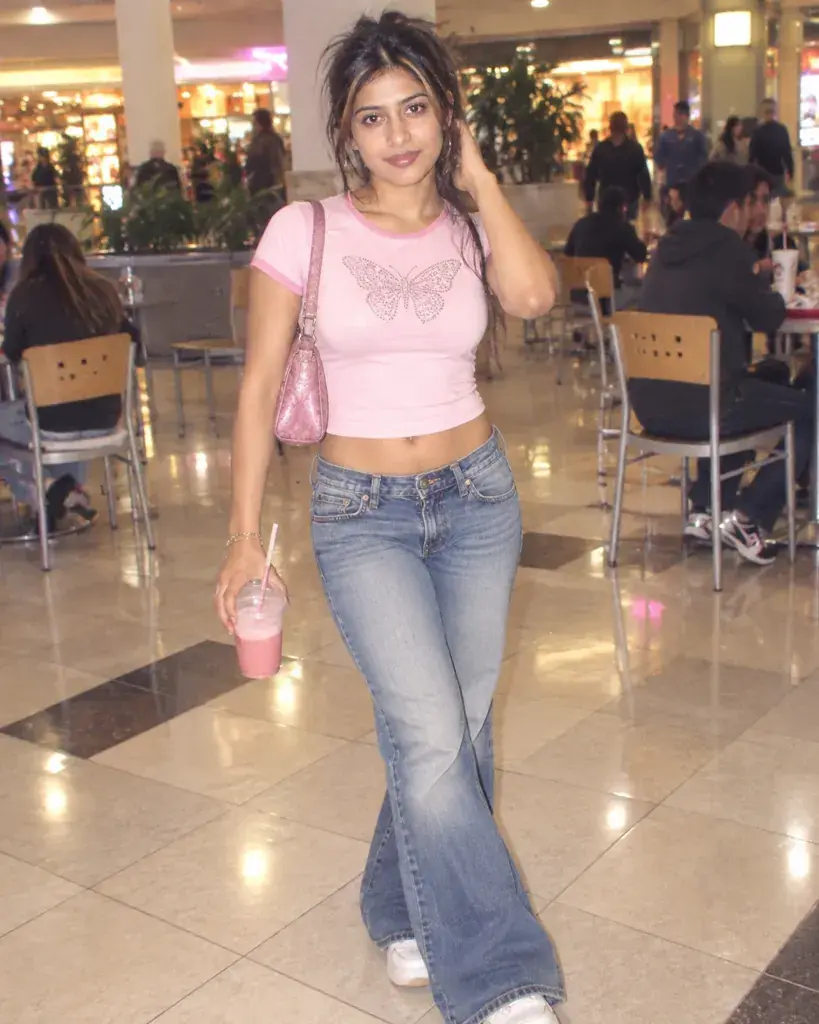
Prompt #1
Restyle the person in the photo in Y2K mall style: low-rise flared jeans, a cropped baby tee, chunky face-framing highlights, bright overexposed digital-camera flash, a mall food-court background, and a full-body candid pose.
Copies the prompt; just paste it in Gemini
Tip: Swap 'baby tee' for a specific graphic if you have one in mind.
AI-generated sample
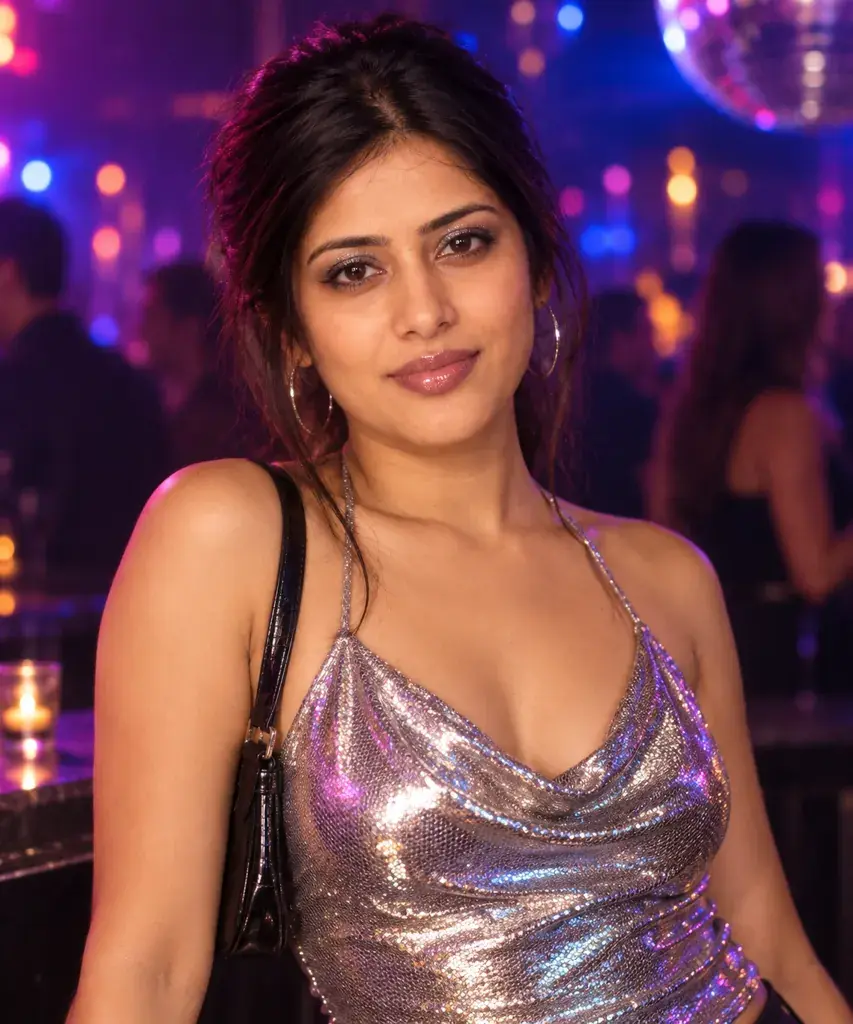
Prompt #2
Turn the person in the photo into a 2000s going-out portrait: an iridescent metallic top, glossy frosted lips, glittery eyeshadow, a dark nightclub backdrop with colorful bokeh lights, punchy saturated color grading, and a half-body pose.
Copies the prompt; just paste it in Gemini
Tip: Change the bokeh color to match your favorite Y2K palette.
AI-generated sample
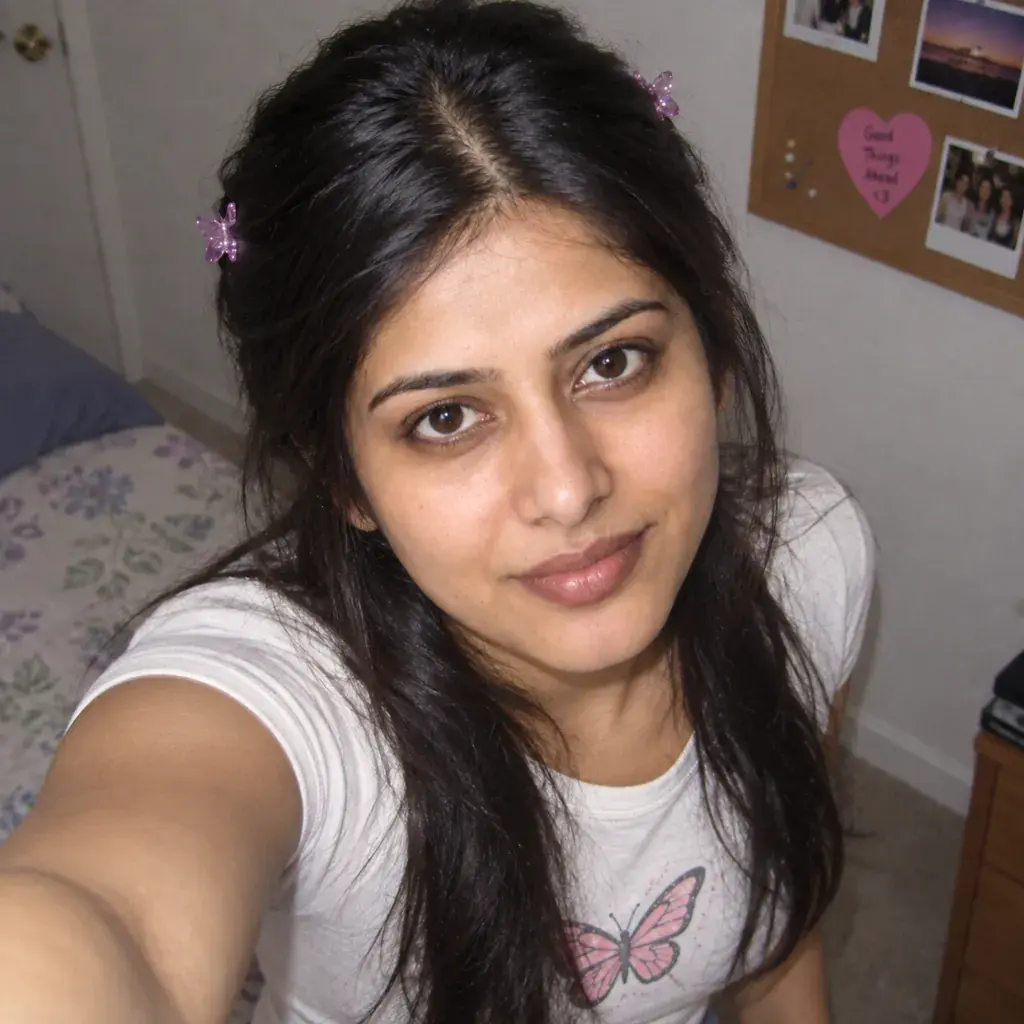
Prompt #3
Reimagine the person in the photo as an early-2000s digital-camera selfie: a high-angle shot from slightly above, a butterfly-clip half-up hairstyle, a plain bedroom background with a corkboard visible, flat direct flash, and a close-up framing typical of that era.
Copies the prompt; just paste it in Gemini
AI-generated sample
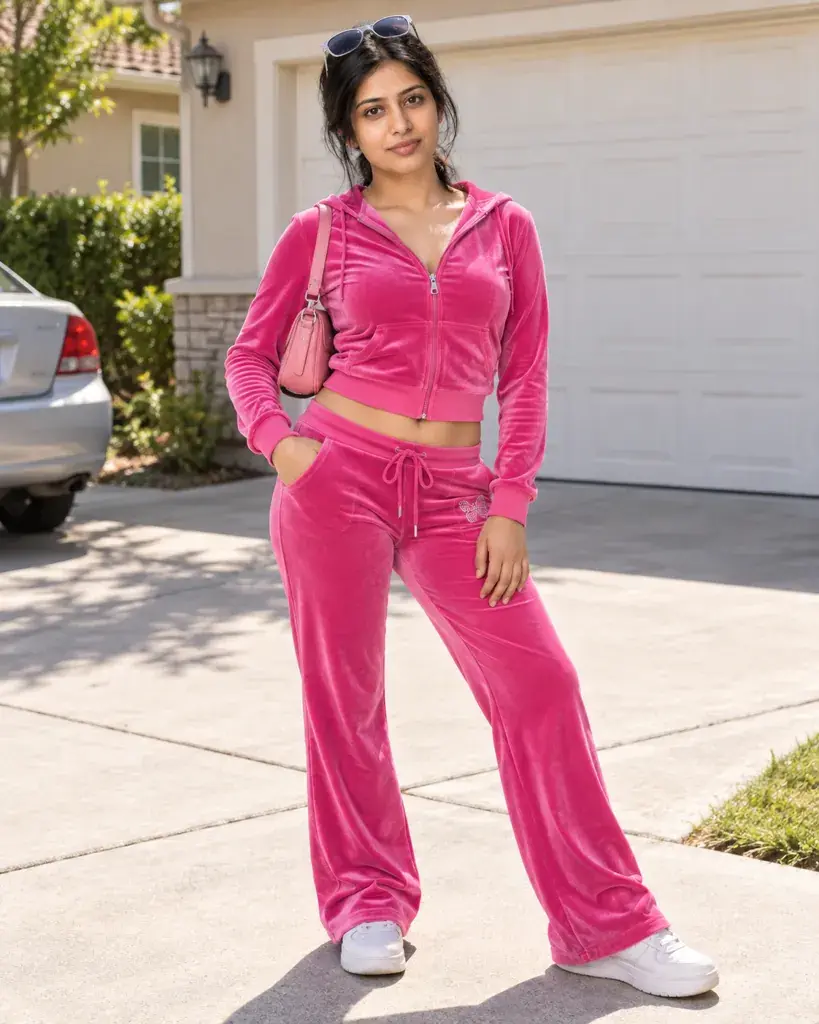
Prompt #4
Convert the person in the photo into a Y2K velour-tracksuit look: a matching zip-up tracksuit in a bold color, sunglasses pushed onto the head, bright midday sunlight, a suburban driveway background, and a relaxed full-body stance.
Copies the prompt; just paste it in Gemini
Tip: Ask for a different tracksuit color to match an outfit you own.
AI-generated sample
Prompt #5
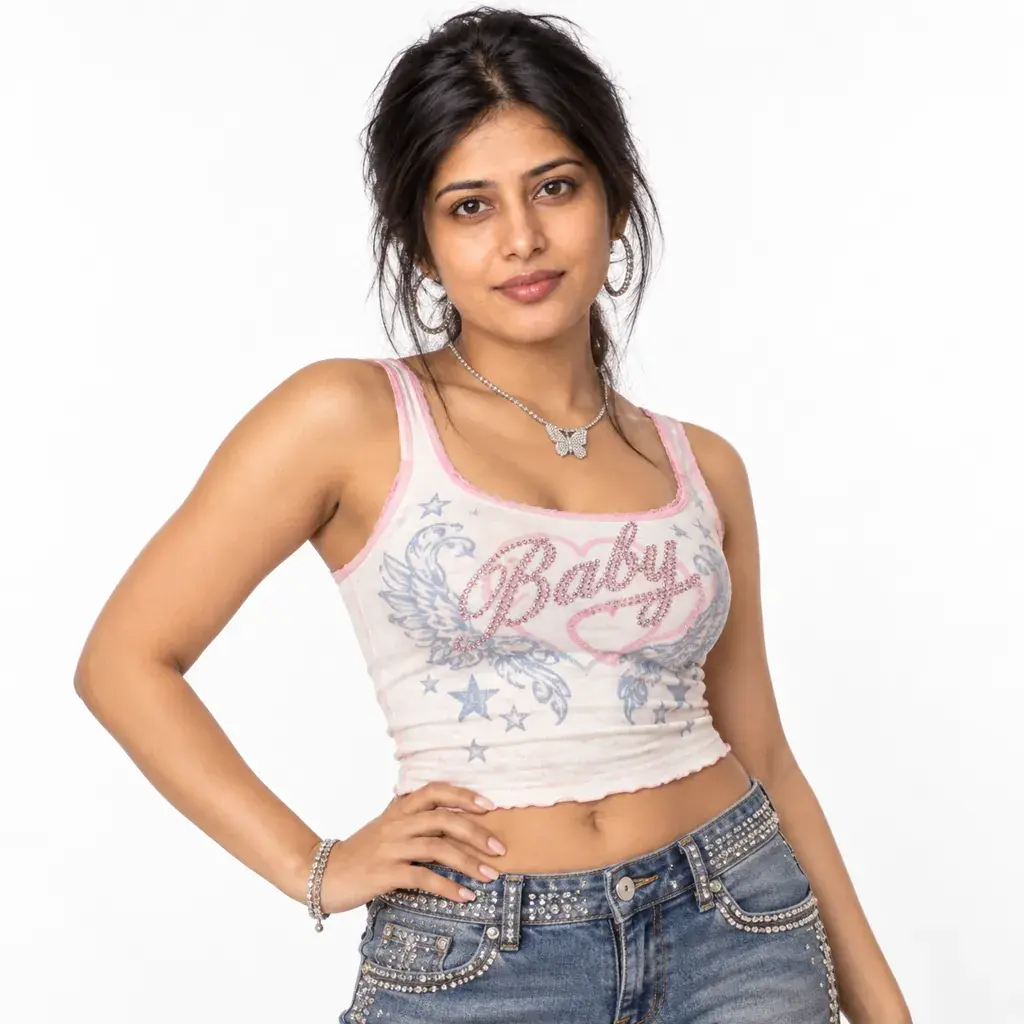
Style the person in the photo in Y2K rhinestone denim: a low-rise denim skirt or jeans with rhinestone trim, a fitted graphic tank top, bright even studio lighting, a plain white backdrop, and a confident half-body pose with one hand on the hip.
Copies the prompt; just paste it in Gemini
AI-generated sample
Prompt #6
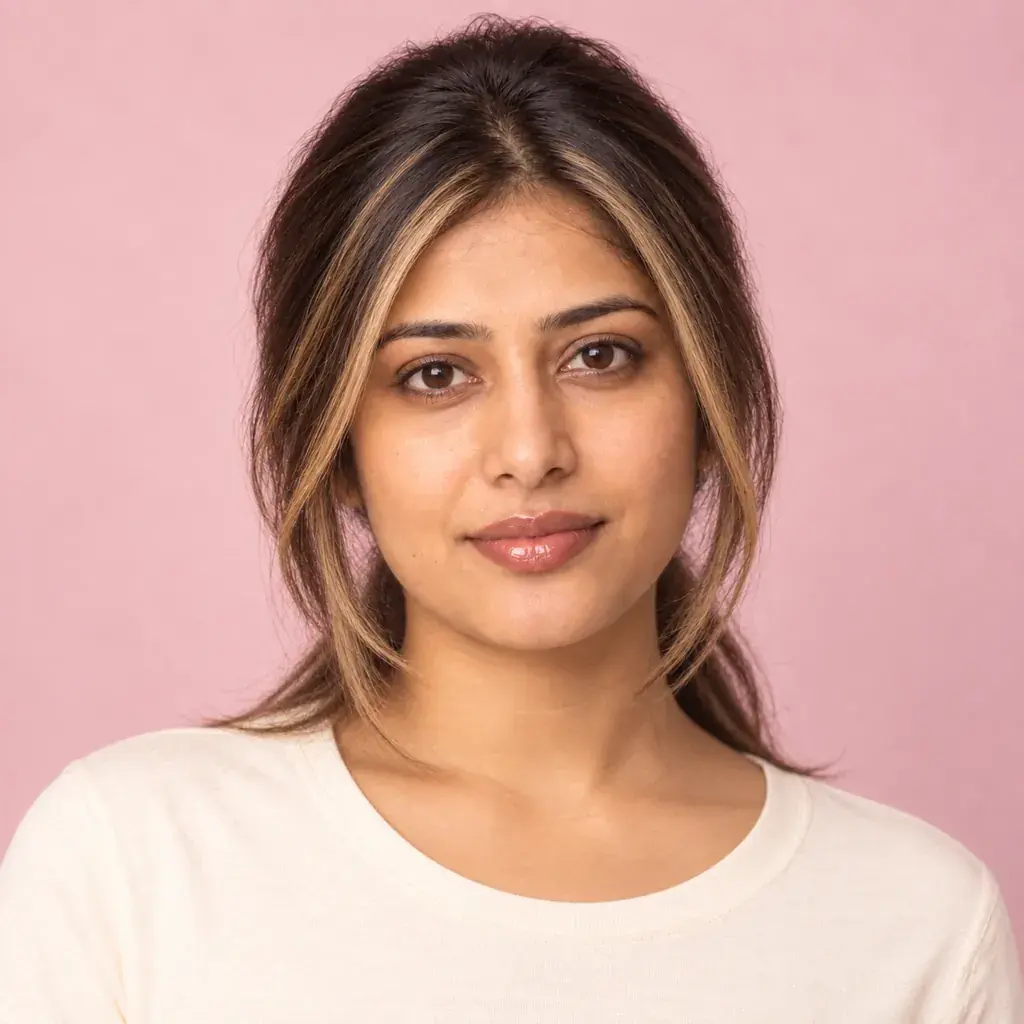
Make the person in the photo look like a 2000s salon-fresh portrait: chunky face-framing highlights, glossy lip gloss, soft diffused studio lighting, a plain pastel backdrop, warm color grading, and a centered close-up headshot.
Copies the prompt; just paste it in Gemini
AI-generated sample
Prompt #7
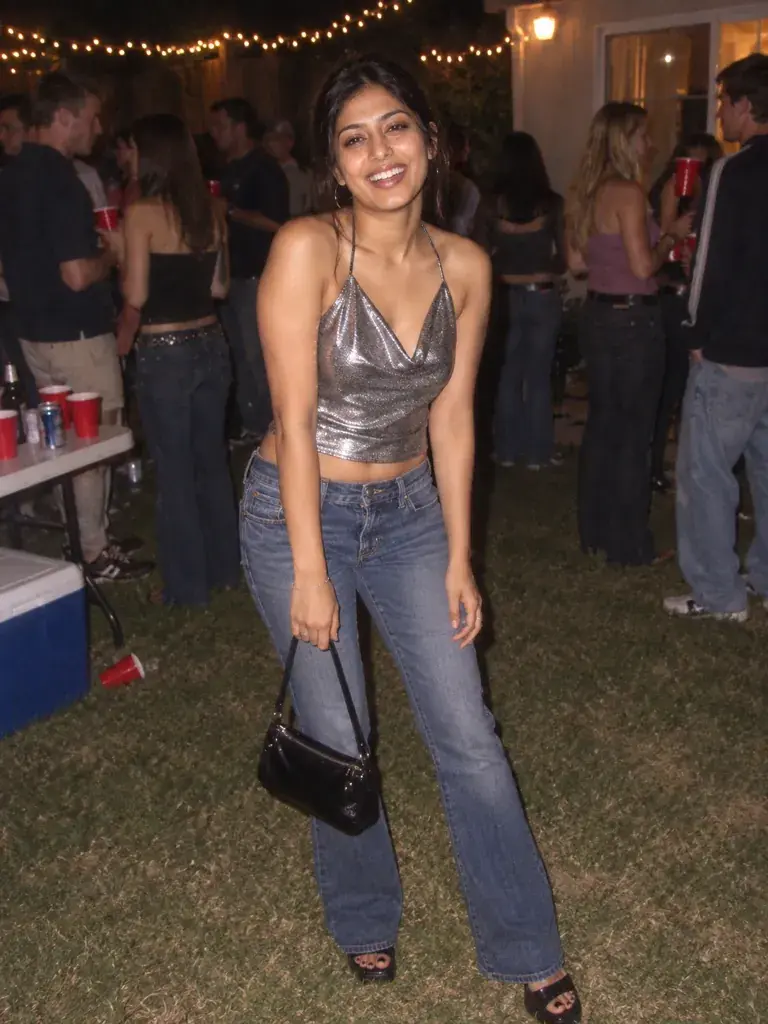
Place the person in the photo at a Y2K house party: a metallic halter top, a small handbag, flat overexposed digital-camera flash, a string-light backyard background at night, and a candid full-body pose mid-laugh.
Copies the prompt; just paste it in Gemini
Tip: Add 'softer flash' if the overexposed look feels too harsh.
How to use these prompts in Gemini
1Start with a sharp, front-facing photo. The face stayed recognizable in our tests; what Gemini added on its own were smiles, real brand names, camera date stamps and red-eye.
2Open gemini.google.com (we tested the web version) and start a new chat, or a Temporary chat, which stays out of your chat history but is kept by Google for 72 hours.
3Tap +, choose Upload files, add the photo and paste a prompt from this page. We left the model on Flash-Lite; images usually appeared within 15 seconds (one took 18) and came back square.
4Zoom in on shop signs, bags, belts and T-shirts before you share it: in our tests Gemini wrote real brand names onto them.
5Save it with the download button. If something is off, run the prompt again in a new chat; results vary from run to run.
When the result goes wrong
Real brand names and logos
Prompt 1 put McDonald's signs in the food court and a Claire's bag in your hand, a plain second run added a Sbarro sign and a '2000 Bratz' T-shirt, and prompt 5 hung a 'Dior' charm on the belt. Asking for 'a mall food-court background with made-up, unbranded store signs and no real brand names or logos anywhere, including on shopping bags' (the first version below) gave made-up store names and unbranded bags in both of our runs.
A smile you didn't have
Prompts 2 and 5 came back with a toothy smile though neither mentions expression, and prompt 1, which asks only for a candid pose, came back laughing. A plain second run of prompt 2 smiled too. With 'Keep the exact facial expression and mouth from the photo; do not add a smile' added (the second version below), both of our runs of prompt 2 kept a neutral expression.
Words, dates and red-eye you didn't ask for
Prompt 5's tank top came back reading '00s Butterfly', prompts 1 and 3 added a red camera date stamp, such as 'JUL 12 '03', and five of our fourteen runs gave the eyes red-eye, including both runs of the unbranded version below. Asking for 'a fitted plain tank top with no words or graphics, a plain belt with no brand name' gave a plain top and belt in our single re-run of prompt 5. We didn't test a fix for the date stamps or the red-eye.
Other ways to word it
Prompt 1 without real brands
Restyle the person in the photo in Y2K mall style: low-rise flared jeans, a cropped baby tee, chunky face-framing highlights, bright overexposed digital-camera flash, a mall food-court background with made-up, unbranded store signs and no real brand names or logos anywhere, including on shopping bags, and a full-body candid pose.
Both of our runs with this wording showed made-up store names, such as 'PIZZA PALACE' and 'GLOBAL FRIES', and bags with no logo, but both had red-eye; a plain second run of prompt 1 still showed real brands.
Prompt 2 without the added smile
Turn the person in the photo into a 2000s going-out portrait: an iridescent metallic top, glossy frosted lips, glittery eyeshadow, a dark nightclub backdrop with colorful bokeh lights, punchy saturated color grading, and a half-body pose. Keep the exact facial expression and mouth from the photo; do not add a smile.
Both of our runs with this line kept a neutral expression; both plain runs of prompt 2 smiled.
Last tested
: We ran all seven prompts on gemini.google.com, each in a new temporary chat with the model left on Flash-Lite and the AI-generated stand-in photo we use for the samples, then re-ran prompts 1 and 2 as they are and the fixes above. Faces stayed recognizable; the problems were real brand names, words and camera dates we hadn't asked for, added smiles, and red-eye in five of the fourteen runs.
Frequently asked questions
Why doesn't the result look like me?
Start with a sharp, front-facing, well-lit photo. Small, dark, or strongly angled source photos make it harder for Gemini to keep your real facial features while changing the styling.
Can I use this on a photo of a friend or sibling?
Yes, if they are an adult and have agreed to it. Attach their photo instead of your own and the same prompt applies the same Y2K look to them. Please don't use these prompts on photos of anyone under 18.
What does 'Y2K' mean if I have not heard the term?
Y2K refers to the design style of the late 1990s and early 2000s, named after the 'Year 2000' computer-bug era. It covers metallic fabric, low-rise jeans, and chunky accessories.
Do these prompts reference any specific phone brand or device?
No, the selfie-style prompt describes only the camera angle and flash, and our test result didn't show a phone at all. Other results did add real brand names to signs, a bag, a T-shirt and a belt, so see the tips above on keeping brands out.