The 1990s look splits into a few clear styles: grunge flannel and messy hair, the harsh direct flash of a disposable camera, and the dark eyeliner and platform shoes of mall goth. This page has seven Gemini prompts that recreate those looks from a normal phone photo, each one naming the wardrobe, lighting, film grain, and color cast that make a photo read as genuinely 90s instead of just 'old.' To use a prompt, copy the text, open a Gemini chat, attach a clear photo of yourself, and paste the prompt as your message; a sample image sits beside every prompt so you can see the target look first. Tweaking is simple: change 'flannel shirt' to a specific plaid color, or add 'less red-eye' if you want a cleaner disposable-camera flash. Two things tend to go wrong. First, the face can drift from your real features when the source photo is dark, blurry, or shot from an odd angle, so start with a bright, front-facing photo taken at eye level. Second, a background that starts busy in your original photo, like a cluttered room, tends to stay busy after the edit, so if that happens, reply in the same chat and ask Gemini for a 'plain background' or a 'blurred background.' These prompts intentionally avoid any real band names, logos, or celebrity likenesses, they describe the era's fashion and camera style in general terms only. No editing software or extra account is required, the whole process runs inside your Gemini conversation from start to finish.
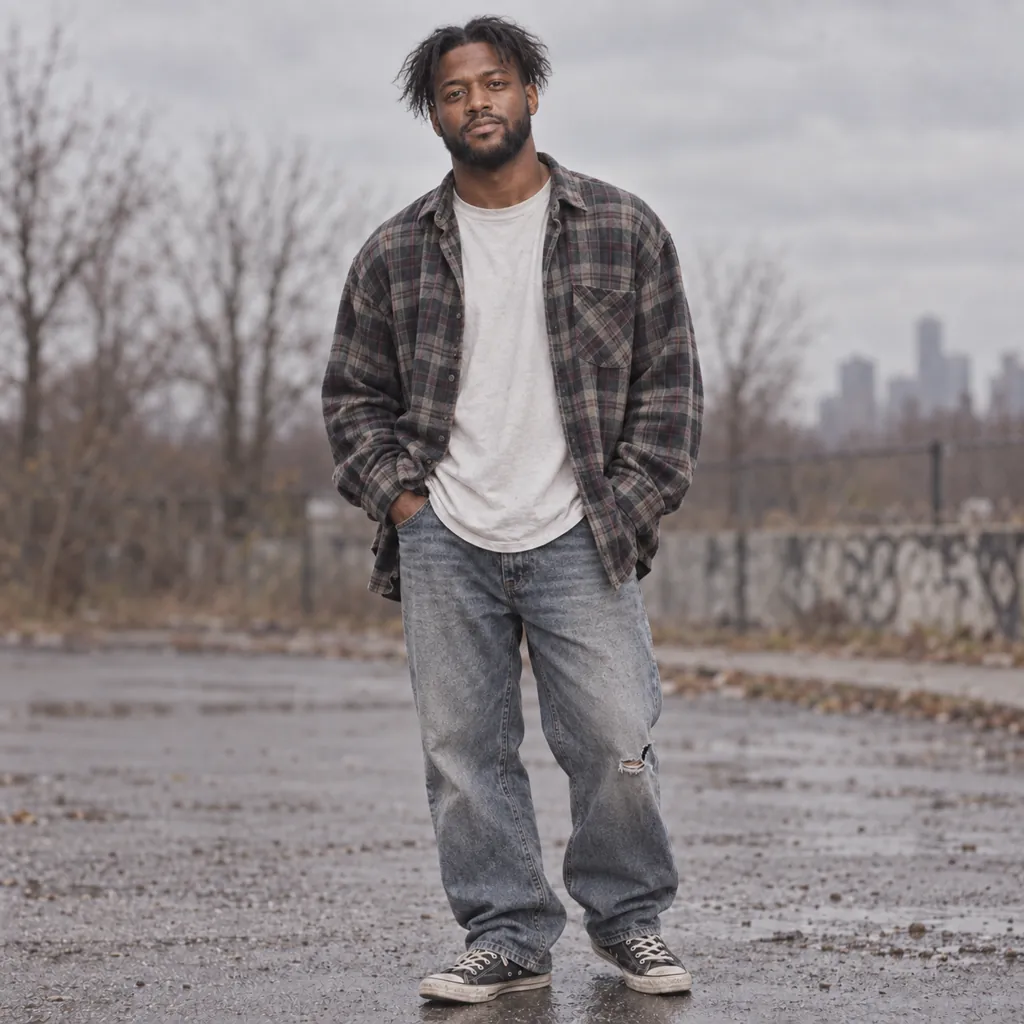
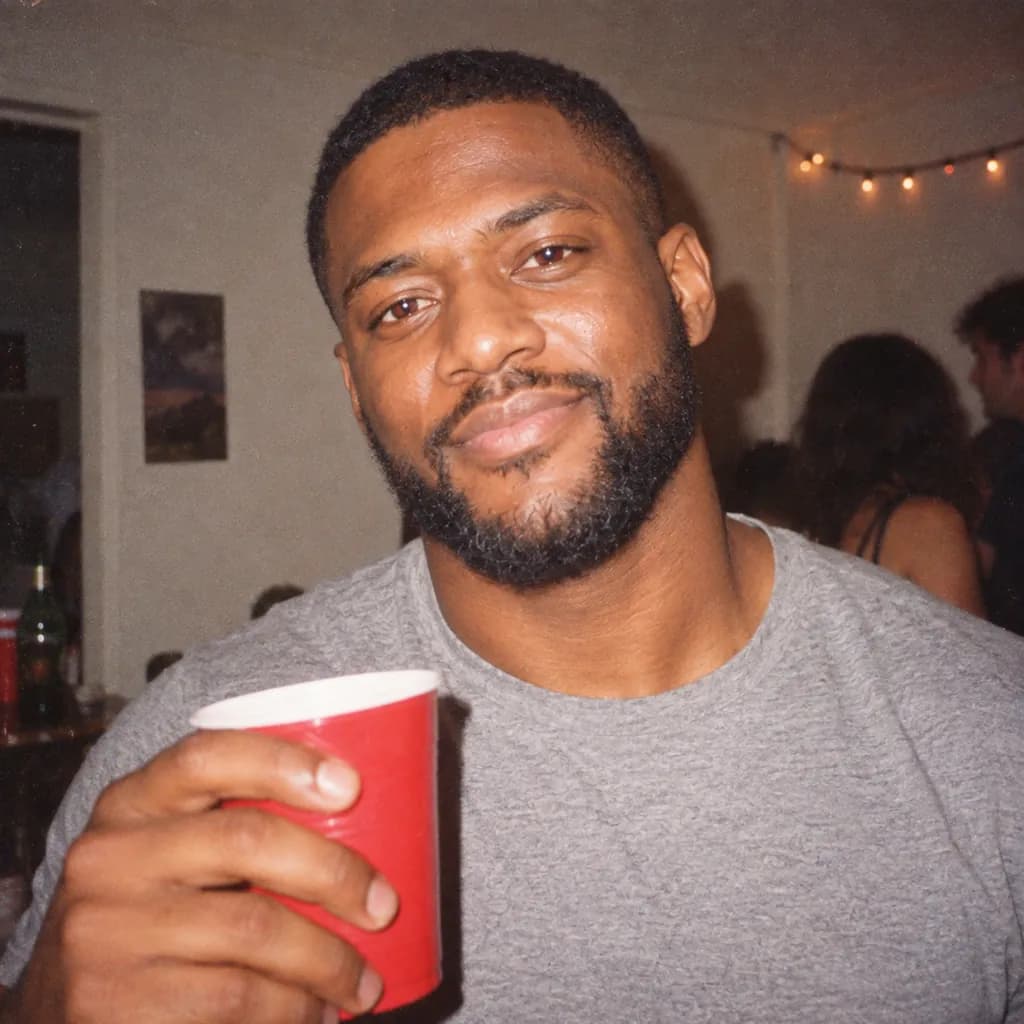
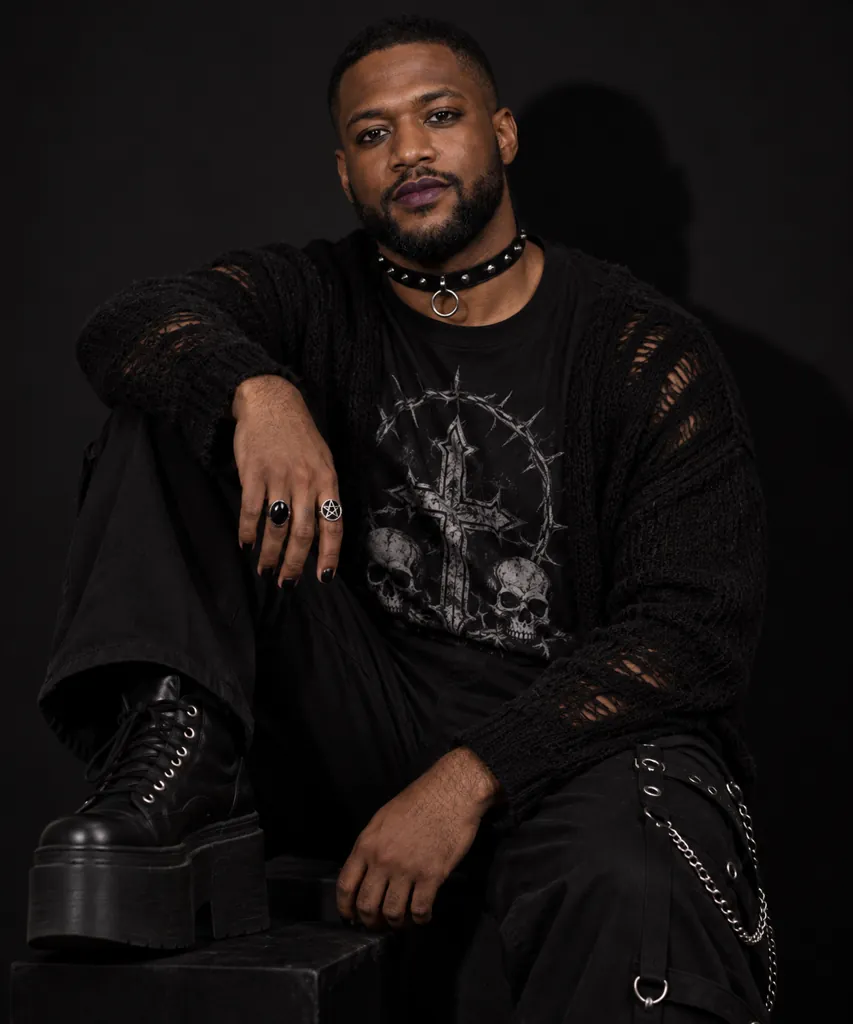
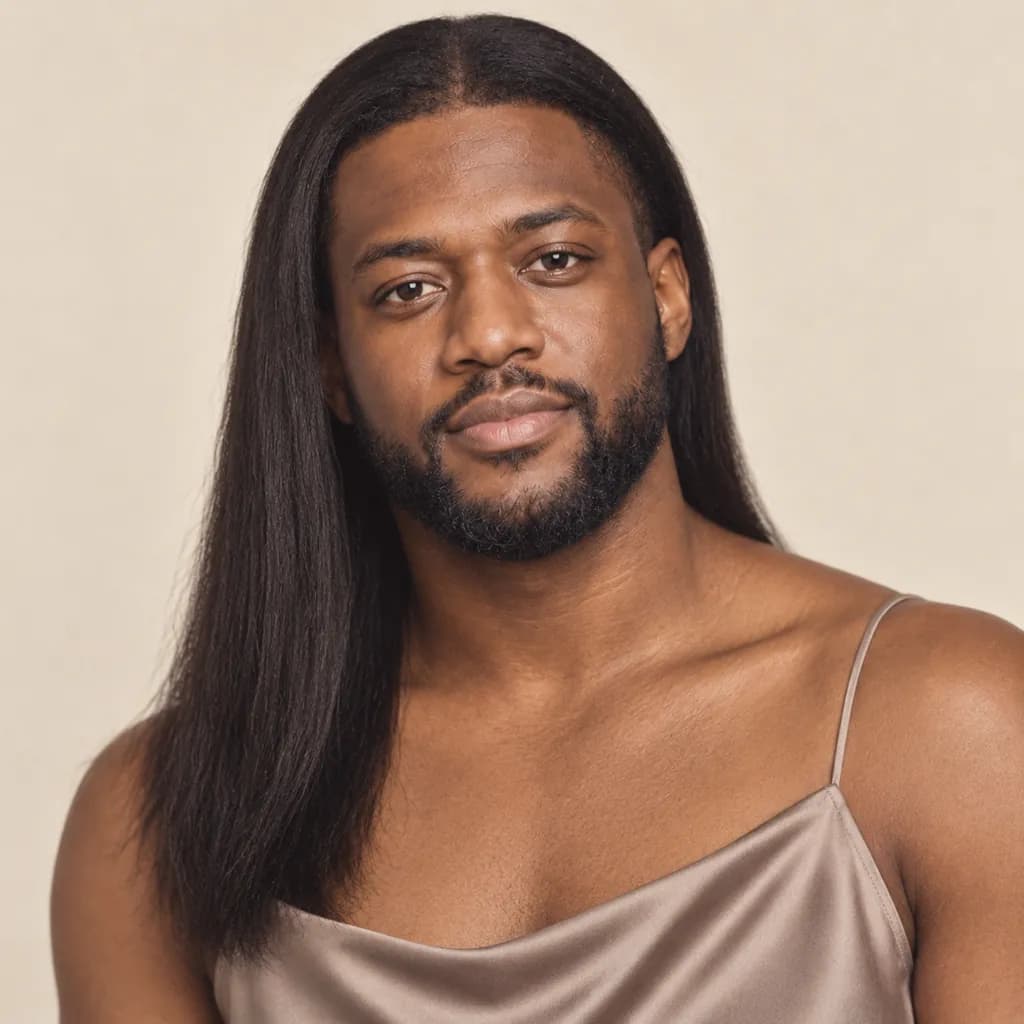
Sample images were made by running each exact prompt in ChatGPT's image generator on an AI-generated stand-in photo. Results in Gemini will look similar but not identical.
#1
Restyle the person in the photo in 90s grunge style: an oversized flannel shirt over a plain t-shirt, messy center-parted hair, a muted overcast outdoor background, flat natural daylight, desaturated color grading, and a relaxed full-body candid pose.
Copies the prompt; just paste it in Gemini
#2
Turn the person in the photo into a 90s disposable-camera snapshot: a direct harsh on-camera flash with mild red-eye, visible film grain, a slightly warm color cast, a plain indoor party background, and a close-up candid smile caught off guard.
Ask for 'less red-eye' if the flash effect looks too strong.
Copies the prompt; just paste it in Gemini
#3
Reimagine the person in the photo as 90s mall goth: dark eyeliner and deep-plum lipstick, a black choker necklace, platform sneakers, low-key studio lighting with a single hard shadow, and a half-body pose against a plain black backdrop.
Swap 'black choker' for 'silver chain choker' for a different accessory.
Copies the prompt; just paste it in Gemini
#4
Convert the person in the photo into a 90s minimalist portrait: a silky slip dress in a muted color, sleek straight hair, soft even studio lighting, a plain cream backdrop, understated neutral tones, and a calm close-up headshot.
Copies the prompt; just paste it in Gemini
#5
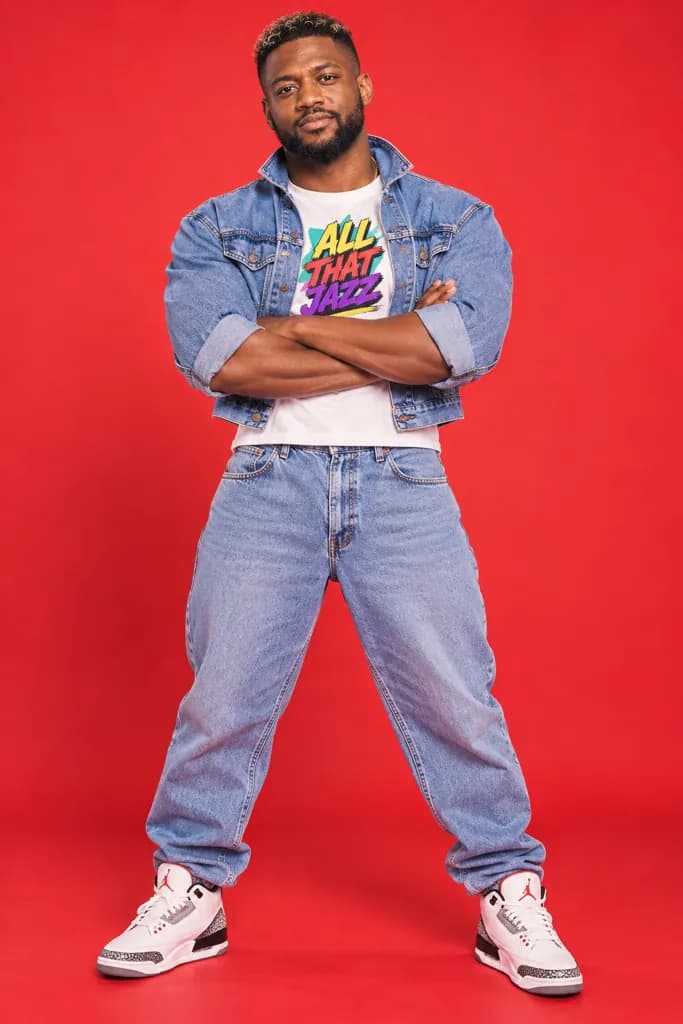
Style the person in the photo as a 90s pop poster shot: a cropped denim jacket over a graphic tee, frosted or gelled hair, bright even studio lighting, a solid primary-color backdrop, and a confident full-body stance with arms crossed.
Change the backdrop color to match your favorite 90s poster palette.
Copies the prompt; just paste it in Gemini
#6
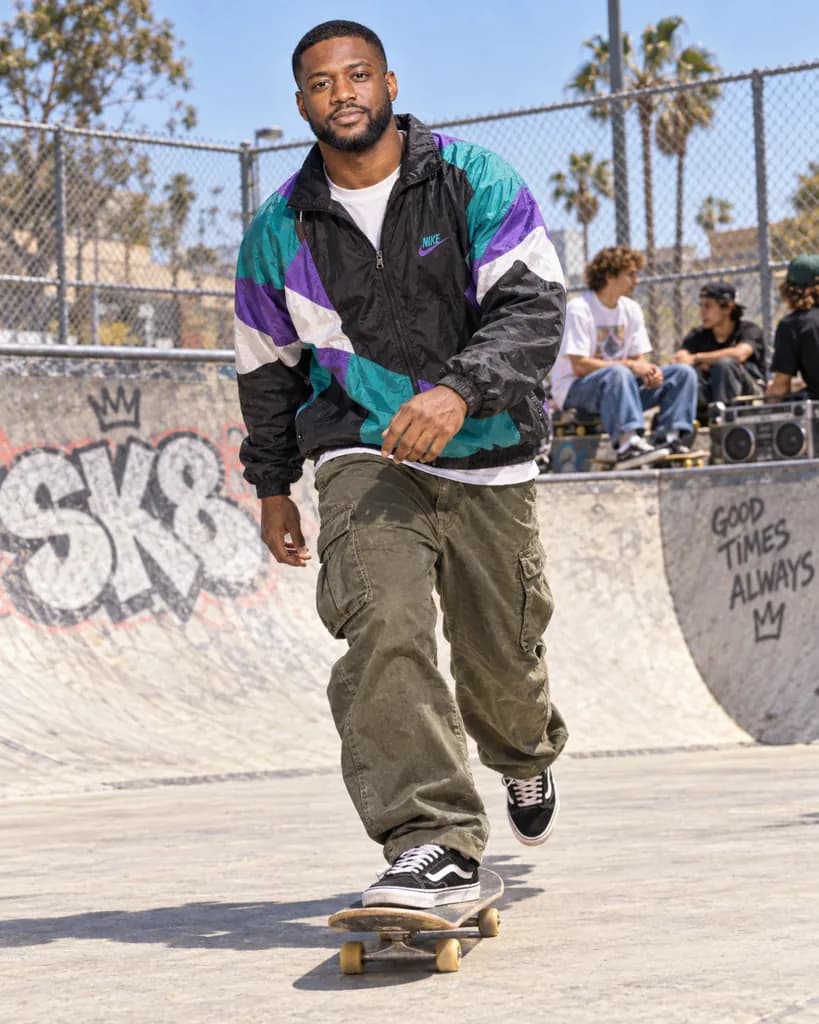
Place the person in the photo at a 90s skate park: baggy cargo pants, a graphic windbreaker, bright midday sun, high-contrast shadows, a chain-link fence and concrete ramp in the background, and a candid full-body action pose.
Mention 'skateboard in hand' to add a prop.
Copies the prompt; just paste it in Gemini
#7
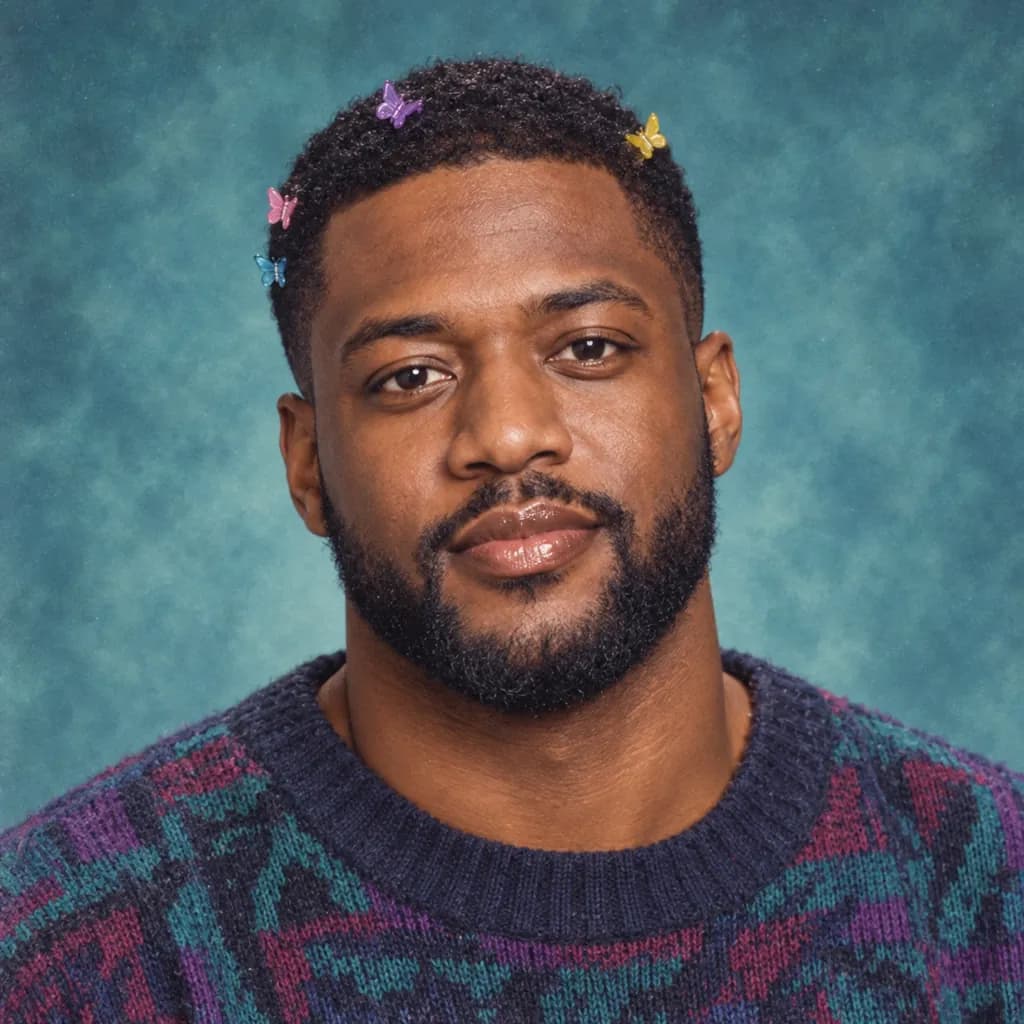
Make the person in the photo look like a 90s yearbook photo: butterfly hair clips, brown lip liner with glossy lip color, a marbled teal studio backdrop, even soft lighting, gentle film grain, and a centered close-up headshot.
Copies the prompt; just paste it in Gemini
Frequently asked questions
Why doesn't the result look like me?
Start with a bright, front-facing photo taken at eye level. Dark, blurry, or extreme-angle source photos make it harder for Gemini to keep your real facial features while changing the styling.
Can I use this prompt on a photo of a friend?
Yes, as long as it is a photo you have permission to edit. Attach their photo instead of your own and the same prompt applies the same 90s look to them.
Will the disposable-camera flash always add red-eye?
Not always, Gemini varies the flash effect each time. If you want it removed entirely, add 'no red-eye' to the prompt before pasting it into the chat.
Does this page reference any real bands or celebrities?
No, every prompt describes general fashion and camera style only, with no band logos, celebrity likenesses, or copyrighted artwork.