Gandhi Jayanti on October 2 is usually marked with a poster, a greeting shared with family, or a notice put up at school or in a community space. These seven Gemini prompts build that kind of poster around your own photo without generating Mahatma Gandhi's face or likeness anywhere in the image, instead using recognized symbols: a spinning charkha, round wire-frame glasses resting beside it, khadi cloth texture, saffron, white, and green tricolor accents, a white dove, and short lines such as 'Ahimsa' set in clean typography. Each prompt describes the layout, the symbolic elements, the color palette, and where your own photo sits in the design, usually as a small framed portrait inside a larger poster. Copy a prompt, open a Gemini chat, attach a clear, respectful photo of yourself, and paste the prompt as your message; a sample image next to each prompt shows the target layout. Small changes are easy: replace the text with a Gandhi quote you have checked against a reliable source, or change the accent color from saffron to green. Two issues come up most often. If your photo is casual or the pose feels mismatched with a formal poster, mention 'formal pose' in the prompt or crop to a simple headshot before uploading. If the layout looks cluttered with too many symbols competing for space, reply in the same chat and ask Gemini to 'simplify the layout' or 'enlarge the charkha icon.' These posters are meant for respectful, non-commercial sharing around the holiday, not for any political or promotional use.
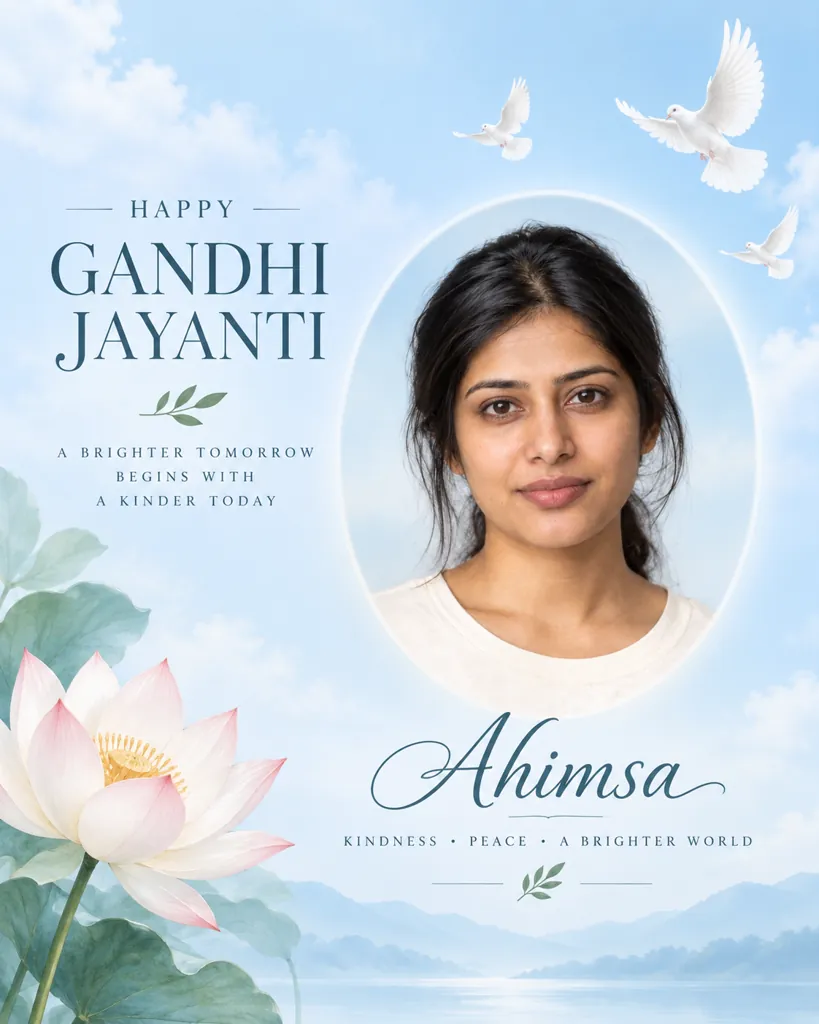
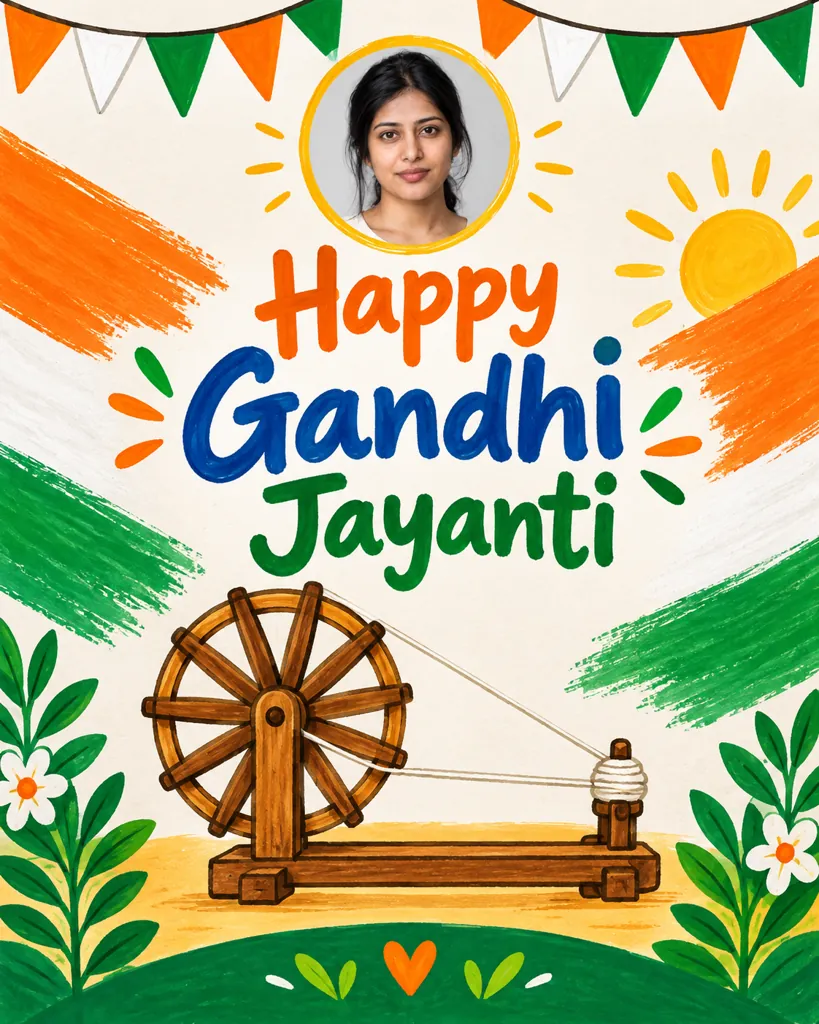
Sample images were made by running each exact prompt in ChatGPT's image generator on an AI-generated stand-in photo. Results in Gemini will look similar but not identical.
#1
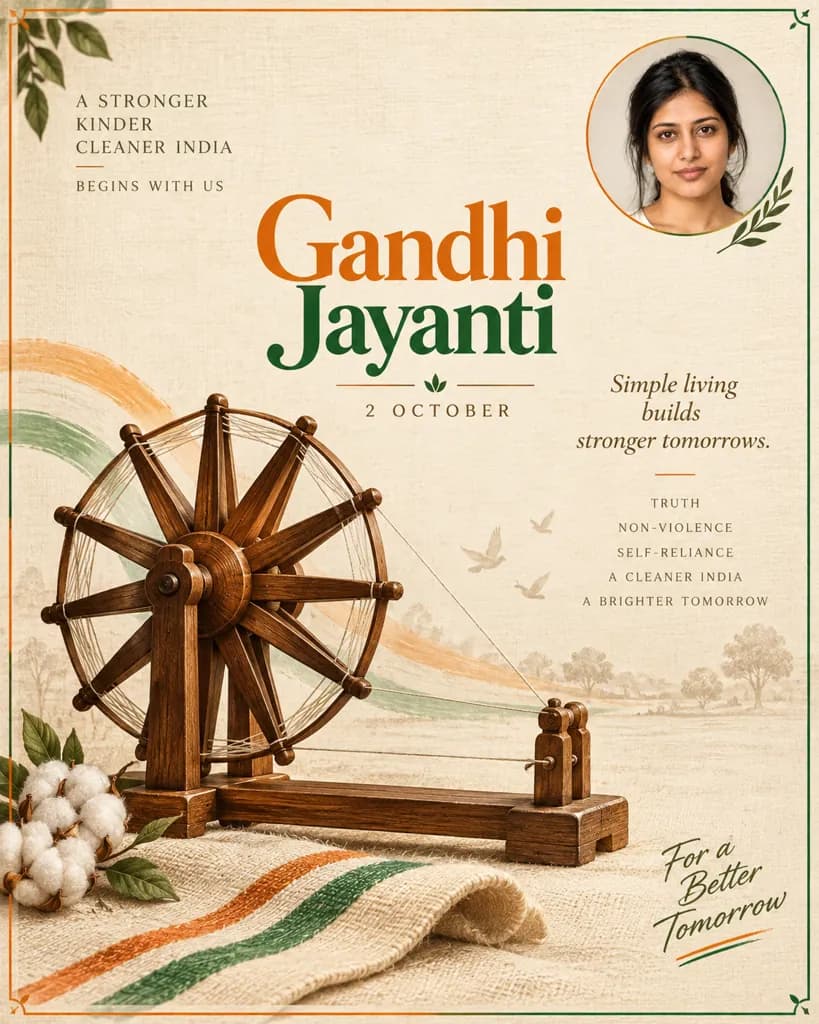
Design a Gandhi Jayanti poster around the person in the photo: a small circular portrait inset in the corner, a large charkha spinning-wheel illustration as the centerpiece, warm khadi-textured cream background, saffron-and-green border accents, and bold 'Gandhi Jayanti' typography. Do not depict Gandhi's face, only symbolic elements.
Swap saffron-and-green for an all-white border for a more formal look.
Copies the prompt; just paste it in Gemini
#2
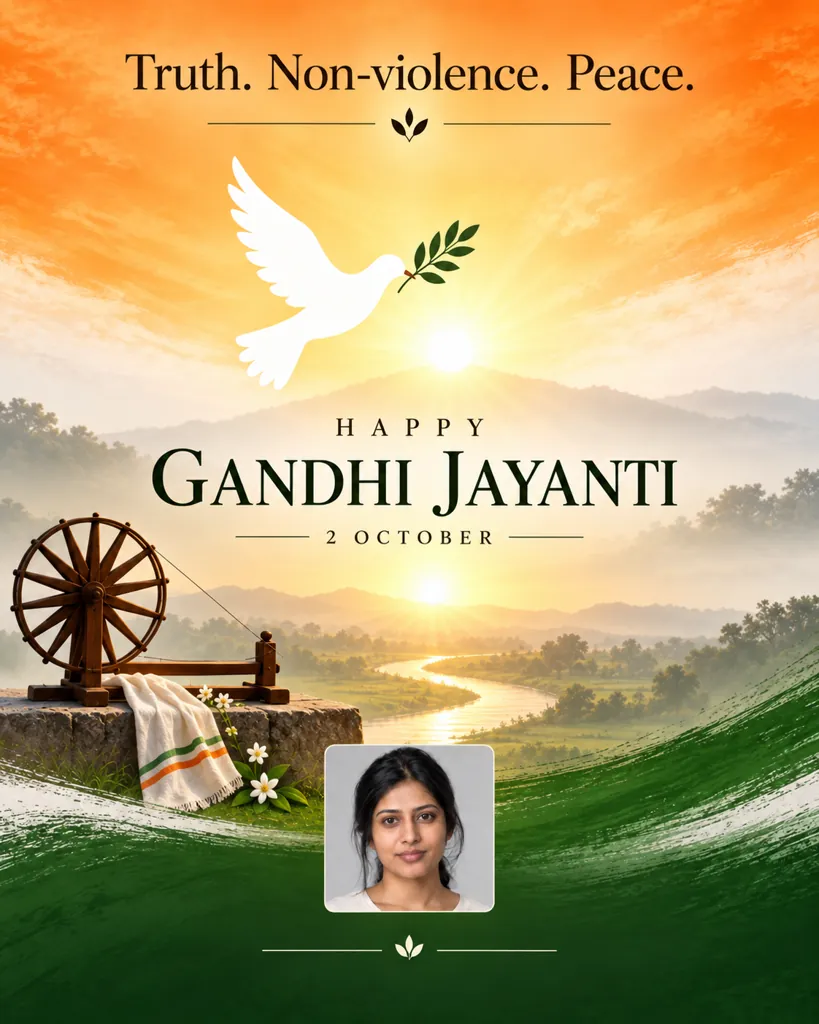
Build a Gandhi Jayanti poster featuring the person in the photo as a small square inset near the bottom: a sunrise gradient background in saffron, white, and green, the words 'Truth. Non-violence. Peace.' set in clean serif typography across the top, and a white dove silhouette in flight. Keep the design symbolic only, with no depiction of Gandhi's face.
Copies the prompt; just paste it in Gemini
#3
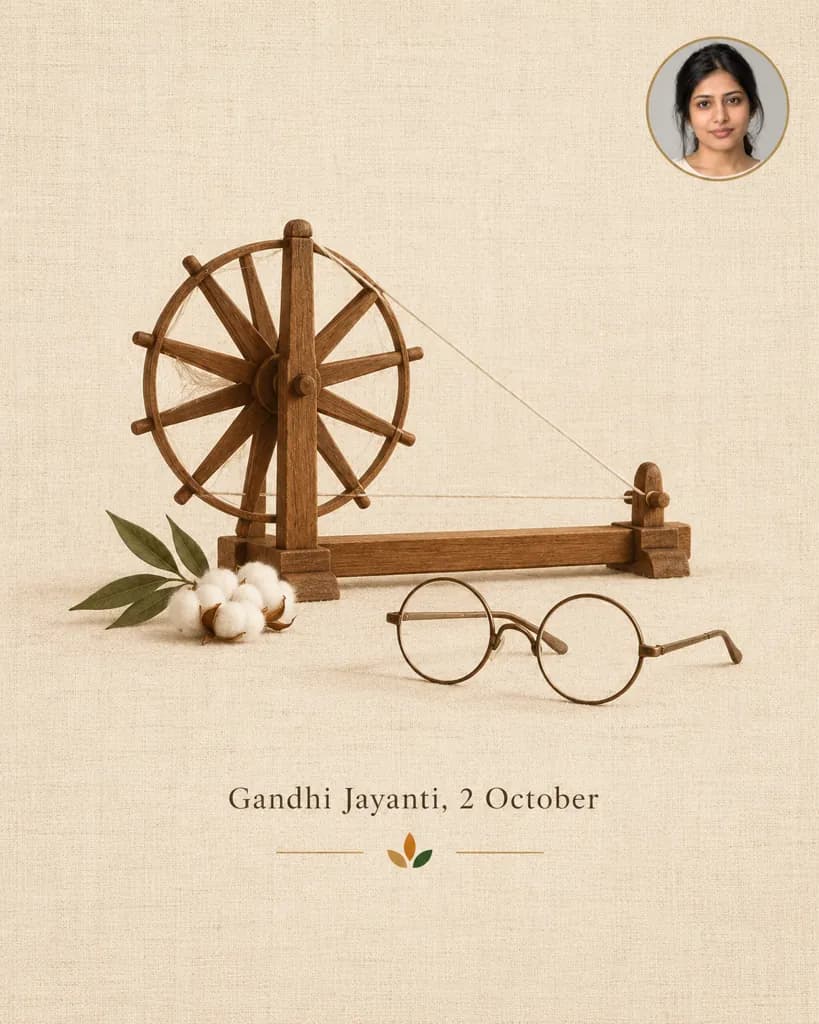
Create a minimalist Gandhi Jayanti poster with the person in the photo as a circular badge in one corner: a plain khadi-fabric-textured background, a simple line-art icon of round wire-frame glasses resting beside a charkha, muted earth-tone colors, and small centered typography reading 'Gandhi Jayanti, 2 October'. Use symbols only; the only person in the design is the one from the photo.
Copies the prompt; just paste it in Gemini
#4
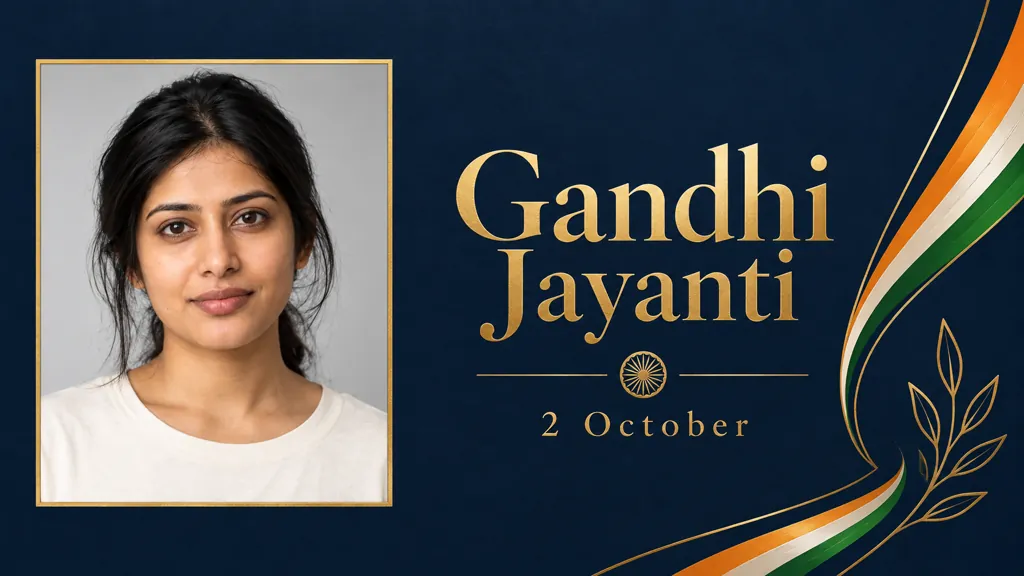
Design a formal Gandhi Jayanti event banner around the person in the photo placed as a rectangular framed portrait on the left: thin saffron, white, and green ribbon accents on the right side, a deep navy background, gold foil-style typography reading only 'Gandhi Jayanti' and '2 October', and a clean grid layout. No flags and no quotations; the only person is the one from the photo.
Change 'deep navy' to 'cream' for a softer banner background.
Copies the prompt; just paste it in Gemini
#5
Build a peaceful Gandhi Jayanti poster with the person in the photo as a soft-edged oval portrait in the center-right: a pale sky-blue background, white doves flying near the top, a single lotus flower illustration in the corner, and the word 'Ahimsa' in light, airy typography beneath. Keep all human imagery limited to the uploaded photo.
Copies the prompt; just paste it in Gemini
#6
Create a colorful school-style Gandhi Jayanti poster with the person in the photo as a small round inset near the top: bright tricolor paper-bunting across the top edge, a hand-drawn-style charkha illustration in the center, cheerful poster-paint color blocks, and bold hand-lettered typography reading 'Happy Gandhi Jayanti'. No quotations; the only person shown is the one from the photo.
Add 'a simple outline of Sabarmati Ashram' if you want a landmark tied to Gandhi's life.
Copies the prompt; just paste it in Gemini
#7
Design a quiet, respectful Gandhi Jayanti tribute poster with the person in the photo as a small candle-lit portrait inset: a dark charcoal background, a single glowing charkha silhouette rendered in warm light, a folded khadi cloth draped beneath it, and the words 'Remembering Bapu' in soft white typography, and no other text. Symbols only; the only person shown is the one from the photo.
Copies the prompt; just paste it in Gemini
Frequently asked questions
Why doesn't the result look like me?
Start with a clear, front-facing photo. Since your photo only appears as a small inset portrait in these designs, a sharper source photo keeps that inset looking accurate.
Can I use this on a photo of a friend, teacher, or student for a school poster?
Yes, as long as it is a photo you have permission to use, such as a student, colleague, or family member. Attach their photo and the poster will build around it the same way.
Why don't these prompts generate Mahatma Gandhi's face?
These prompts are written to keep the focus on respectful symbols, the charkha, khadi texture, the tricolor, and his own words, rather than generating a likeness of a real historical figure, which these prompts intentionally avoid.
Can I change the quote to one I prefer?
Yes, reply in the same chat with the exact quote text you want, and Gemini will place it in the same typography style described in the prompt. Many quotes shared online as Gandhi's are misattributed, so check the wording against a reliable source first.