A great saree portrait depends on fabric, drape, and lighting working together, details that are hard to get right without a stylist and a studio on hand. This page has seven Gemini prompts that turn an existing photo into a polished saree portrait, covering a gold-zari silk brocade look, a breezy pastel chiffon drape, a contrast-border silk saree, a black georgette evening look, a relaxed handloom cotton drape, a modern minimalist drape with a contemporary blouse, and a soft monochrome studio portrait. Each prompt spells out the fabric, the drape style, the jewelry, the lighting, and the backdrop needed for a photo that reads as a real saree portrait instead of a flat color overlay. Copy a prompt, open a Gemini chat, attach a clear photo, and paste the prompt as your message; a sample image next to each prompt shows the target look. Small changes are easy to make: swap 'mint-green' for a color that suits your skin tone, or trade the studio backdrop for an outdoor one. Two issues come up most often. If the source photo is dark, blurry, or taken from far away, the face can end up looking less like you under the new styling, so start with a clear, front-facing, well-lit photo. If the drape or pleats look uneven, reply in the same chat and ask Gemini to 'clean up the pleats' or 'straighten the pallu.' These prompts keep hair and facial features close to your original photo and only change the outfit, jewelry, lighting, and background, so the result still looks like a real photo of you.
Sample images were made by running each exact prompt in ChatGPT's image generator on an AI-generated stand-in photo. Results in Gemini will look similar but not identical.
#1
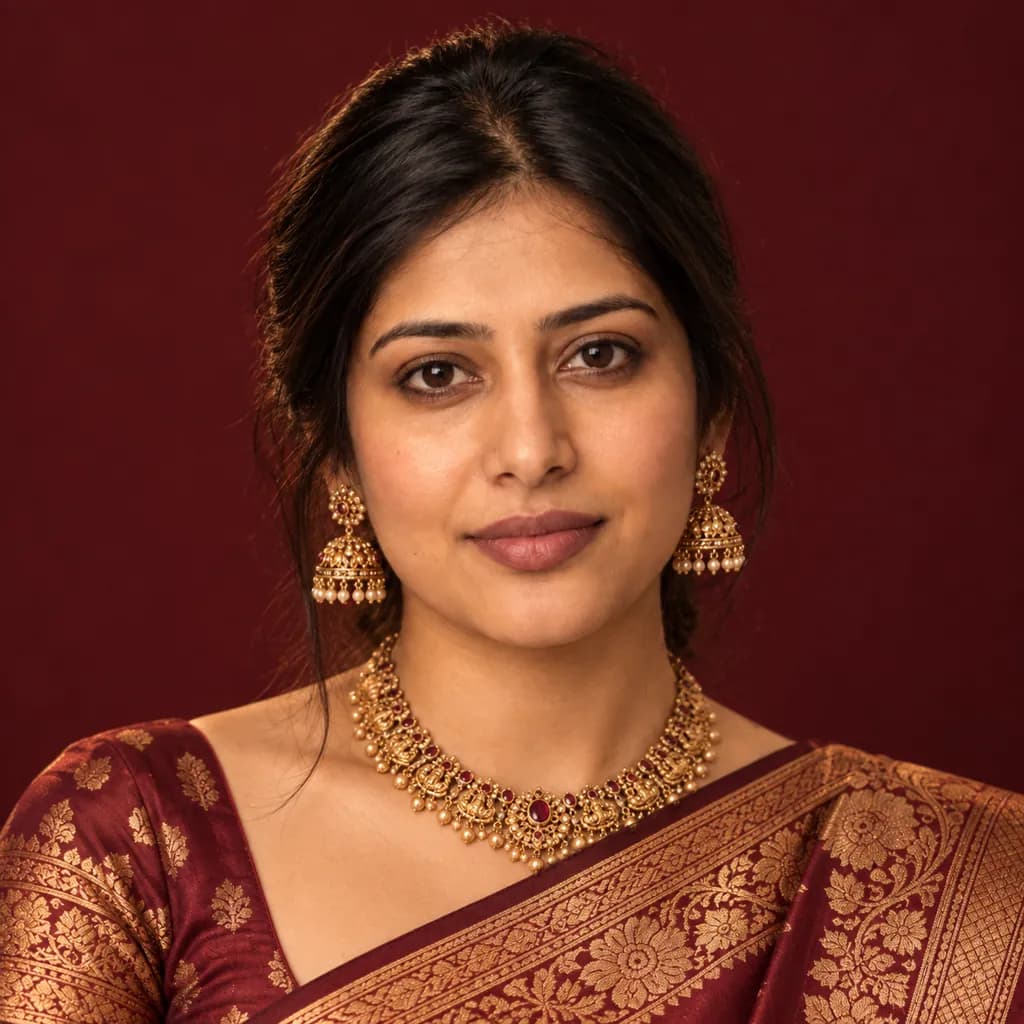
Restyle the person in the photo in a gold-zari silk brocade saree: rich burgundy fabric with intricate woven detail, statement gold jewelry, warm tungsten studio lighting, a plain deep-maroon backdrop, and a close-up crop showing the fabric detail at the shoulder.
Swap 'burgundy' for any color that matches your own saree.
Copies the prompt; just paste it in Gemini
#2
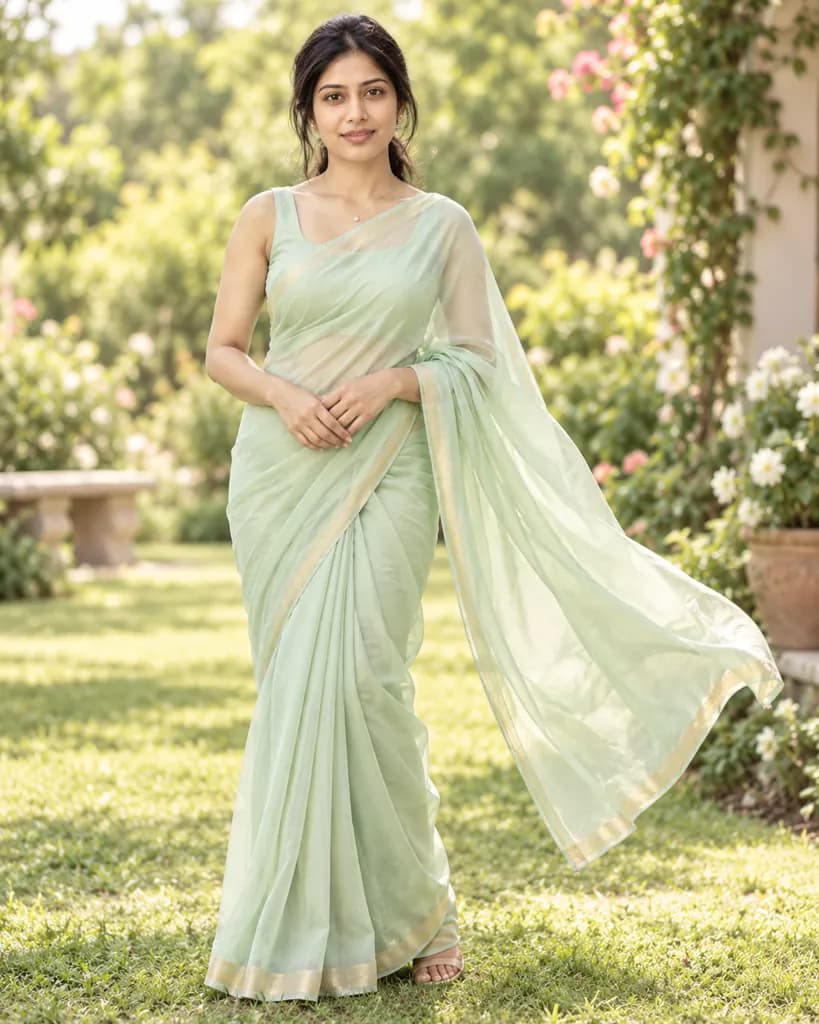
Turn the person in the photo into a breezy pastel-chiffon saree portrait: a soft mint-green drape catching a gentle breeze, minimal delicate jewelry, warm natural daylight, a softly blurred garden background, and a full-body relaxed standing pose.
Copies the prompt; just paste it in Gemini
#3
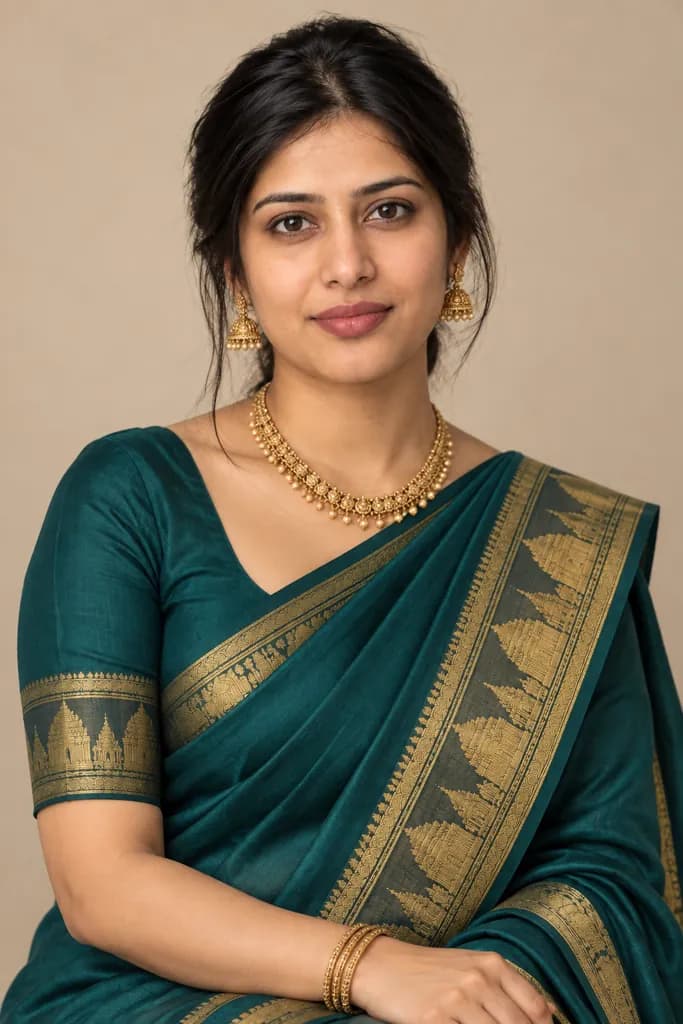
Reimagine the person in the photo in a contrast-border silk saree: a deep teal body with a wide gold temple-pattern border, traditional gold jewelry, even soft studio lighting, a plain warm-beige backdrop, and a half-body pose with the pallu draped over one shoulder.
Ask for 'wider border' if you want the pattern more prominent.
Copies the prompt; just paste it in Gemini
#4
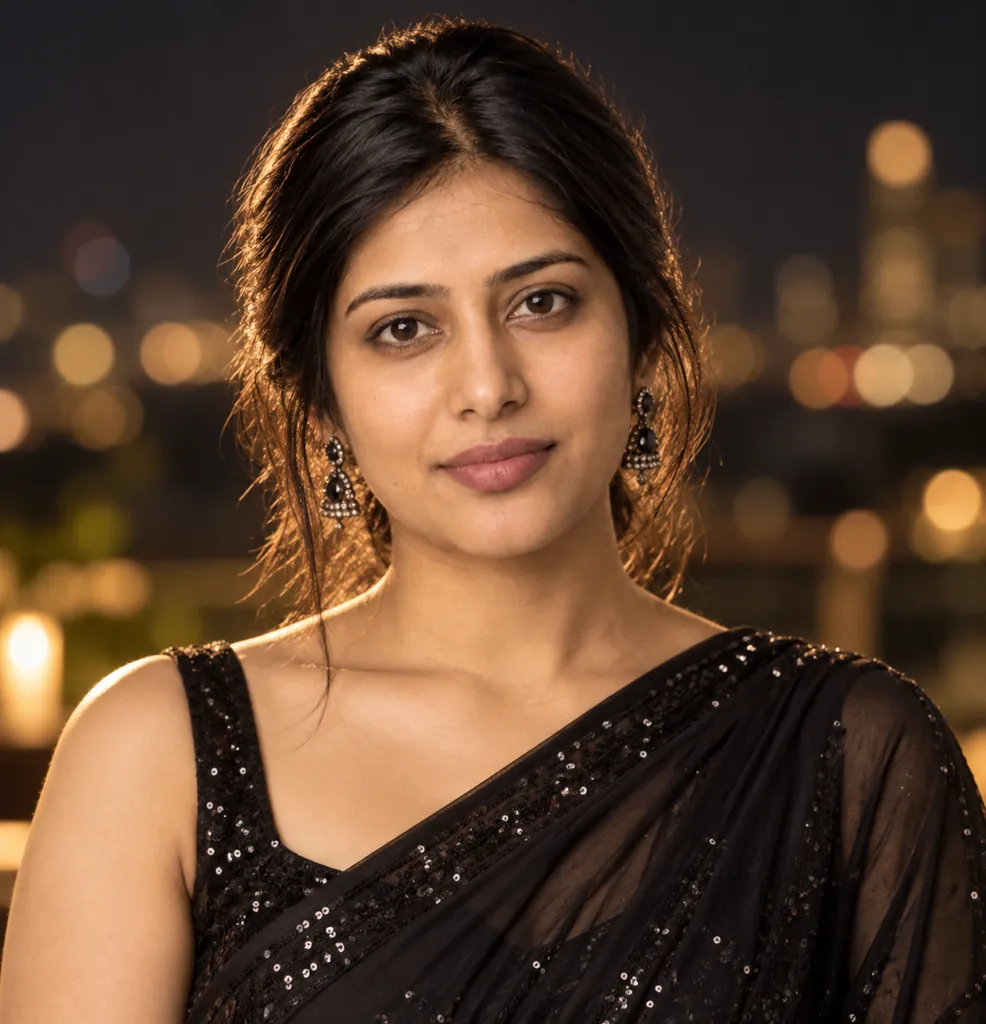
Convert the person in the photo into an evening-party saree look: a black georgette saree with a subtle sequin shimmer, sleek modern draping, soft rim lighting against a dark backdrop, blurred warm city-light bokeh behind, and a close-up crop.
Copies the prompt; just paste it in Gemini
#5
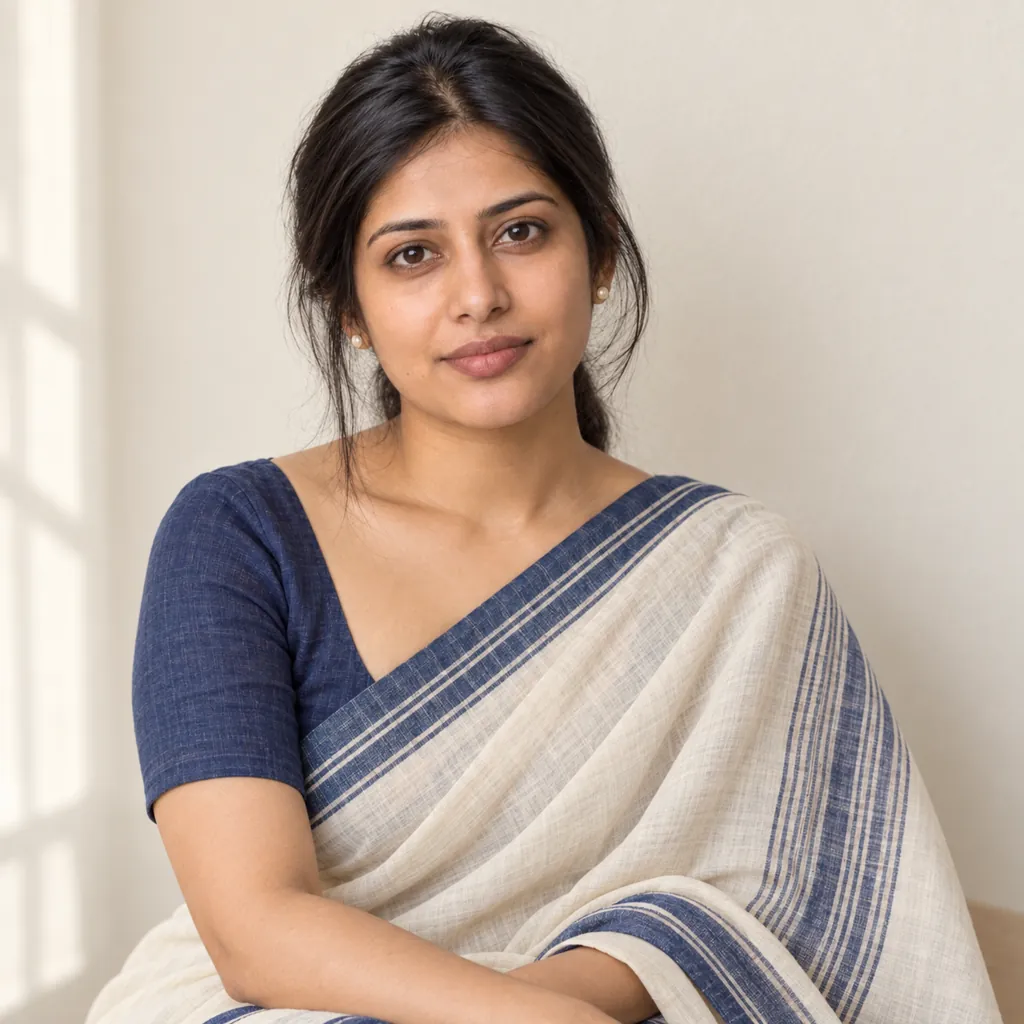
Style the person in the photo in an ivory-and-indigo handloom cotton saree: a relaxed daytime drape, simple stud earrings, soft natural window light, a plain cream wall backdrop, warm true-to-life color, and a half-body casual pose.
Copies the prompt; just paste it in Gemini
#6
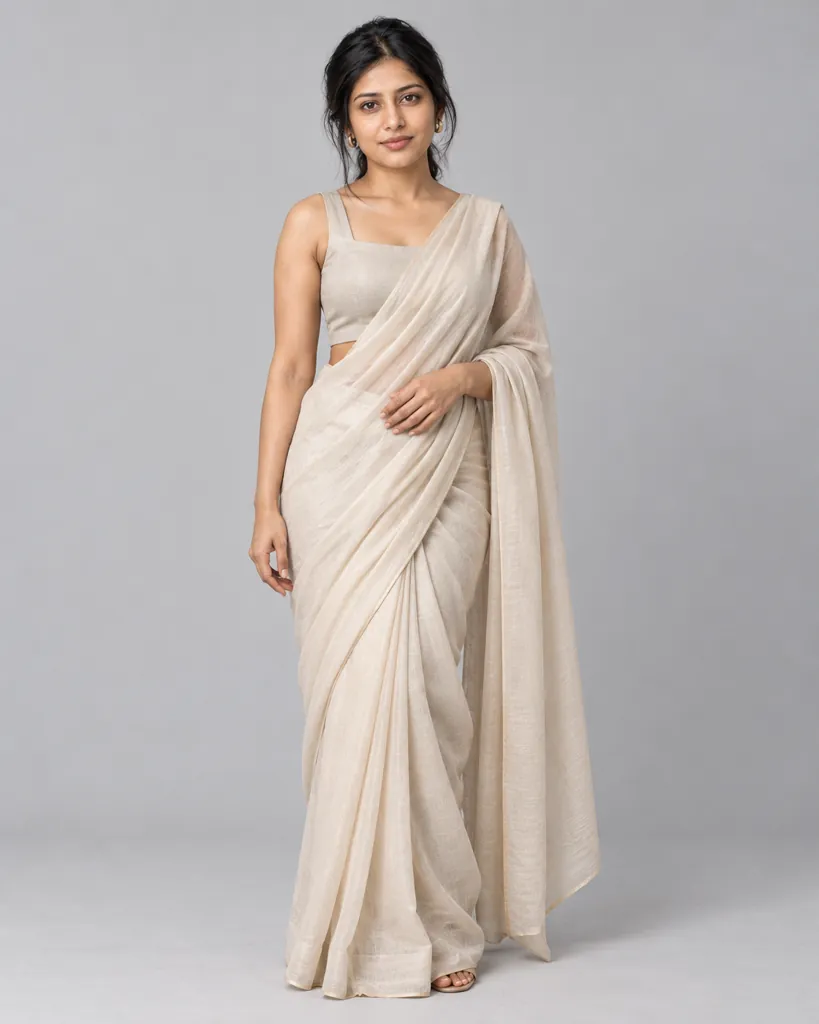
Make the person in the photo wear a modern drape saree with a contemporary sleeveless blouse: clean minimalist styling, soft diffused studio light, a plain light-grey backdrop, neutral color grading, and a full-body editorial standing pose.
Mention a specific blouse style if you have one in mind.
Copies the prompt; just paste it in Gemini
#7
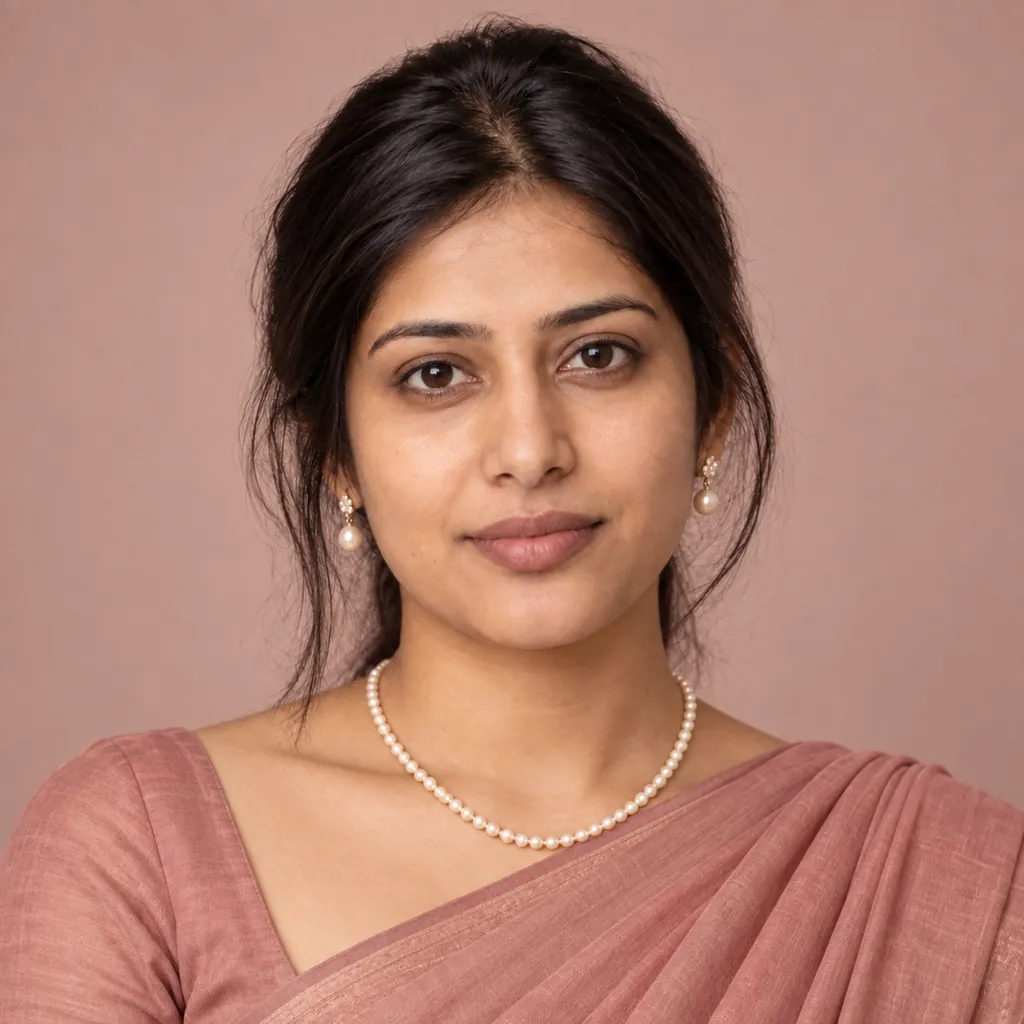
Place the person in the photo in a monochrome dusty-rose saree with delicate pearl jewelry: soft even beauty lighting, a plain seamless studio backdrop, gentle warm color grading, and a centered close-up headshot with a calm expression.
Copies the prompt; just paste it in Gemini
Frequently asked questions
Why doesn't the result look like me?
Start with a clear, front-facing, well-lit photo. Blurry, dark, or angled source photos make it harder for Gemini to keep your real facial features while changing the saree, jewelry, and lighting.
Can I use this on a photo of a friend or family member?
Yes, as long as it is a photo you have permission to edit, such as a friend or family member. Attach their photo instead of your own and the same prompt applies the same saree look to them.
Can I request a specific saree color or fabric?
Yes, reply in the same chat and name the color or fabric you want, for example 'a rust-orange silk saree,' and Gemini will adjust the drape while keeping the pose and lighting.
Will the drape and pleats look realistic?
Gemini renders fabric folds and pleats convincingly in most cases, though the exact drape style and pattern placement varies each time since every generation is created fresh.