These prompts let you preview a tattoo on your own skin before you commit to one, using Gemini's photo mode instead of a temporary sticker or a mockup app. Seven prompts below cover different styles, fine-line botanical work, bold blackwork, traditional Americana, tribal patterns, watercolor-style ink, and a Japanese-inspired large-scale piece, each one naming the placement, line weight, shading, and skin-tone blending needed for a result that looks like real ink instead of a flat sticker. Copy a prompt, open a Gemini chat, attach a clear photo of the body part you want tattooed, and paste the prompt as your message; a sample image next to each prompt shows what that style looks like. Adjusting placement or size takes one or two words: change 'forearm' to 'shoulder,' or add 'smaller, roughly palm-sized' to scale it down. Two issues show up most often. If your photo is blurry, poorly lit, or the skin area is partly hidden, the tattoo can land in the wrong spot or look pasted on, so start with a sharp, well-lit photo of the bare skin area. If the ink looks too flat or too dark, reply in the same chat and ask Gemini to 'add more shading' or 'lighten the linework.' These prompts are for visualizing a design only, they are not a substitute for consulting a licensed tattoo artist about placement, sizing, and healing on real skin. No app or signup is needed beyond your normal Gemini chat.
Sample images were made by running each exact prompt in ChatGPT's image generator on an AI-generated stand-in photo. Results in Gemini will look similar but not identical.
#1
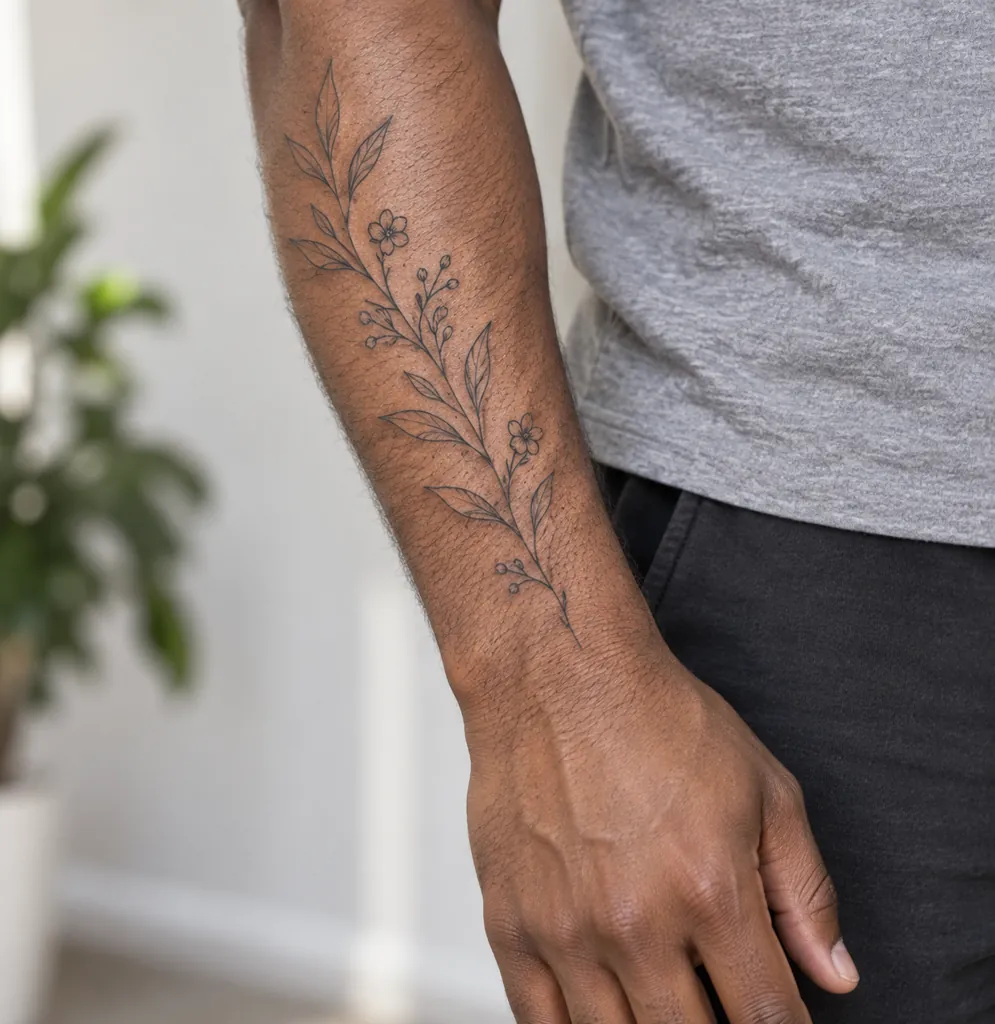
Restyle the person in the photo with a fine-line botanical tattoo on the forearm: delicate single-needle linework of leaves and small flowers, subtle black ink with no shading, natural skin tone preserved, soft daylight, and a close-up crop on the arm and hand.
Add 'smaller, about two inches' to scale the design down.
Copies the prompt; just paste it in Gemini
#2
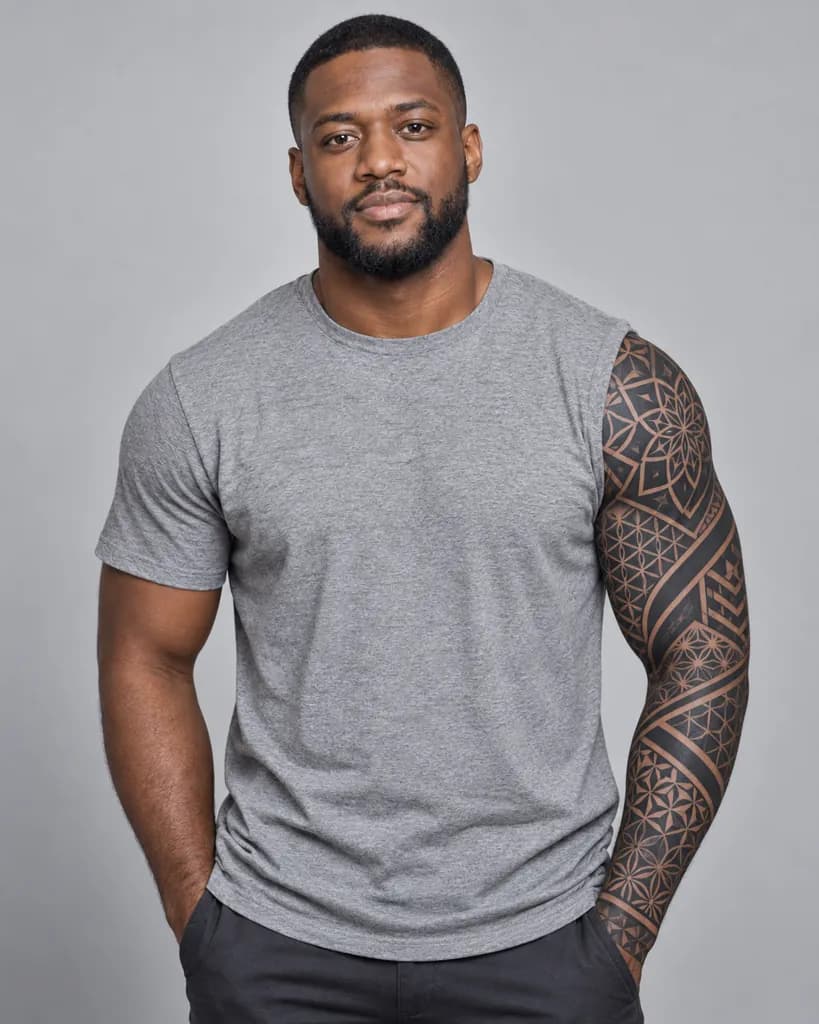
Turn the person in the photo into a preview with a bold blackwork sleeve: dense geometric patterns covering the full forearm and upper arm, solid black ink with sharp edges, even studio lighting, a plain neutral backdrop, and a half-body crop showing the full arm.
Copies the prompt; just paste it in Gemini
#3
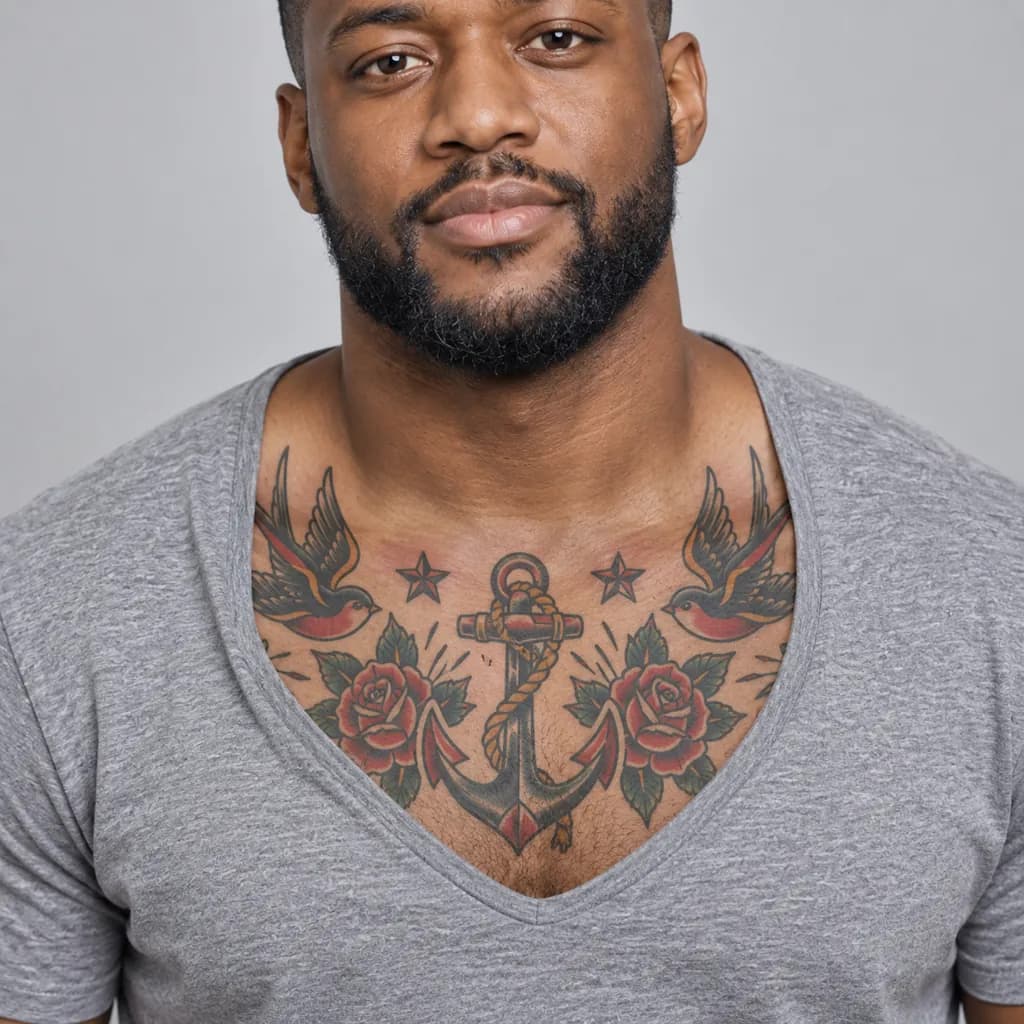
Reimagine the person in the photo with a traditional Americana-style tattoo on the upper chest: bold black outlines, classic red and green color fills, a nautical or floral motif, bright even studio lighting, and a close-up crop on the chest and collarbone.
Ask for 'black and grey only' to skip the red and green fills.
Copies the prompt; just paste it in Gemini
#4
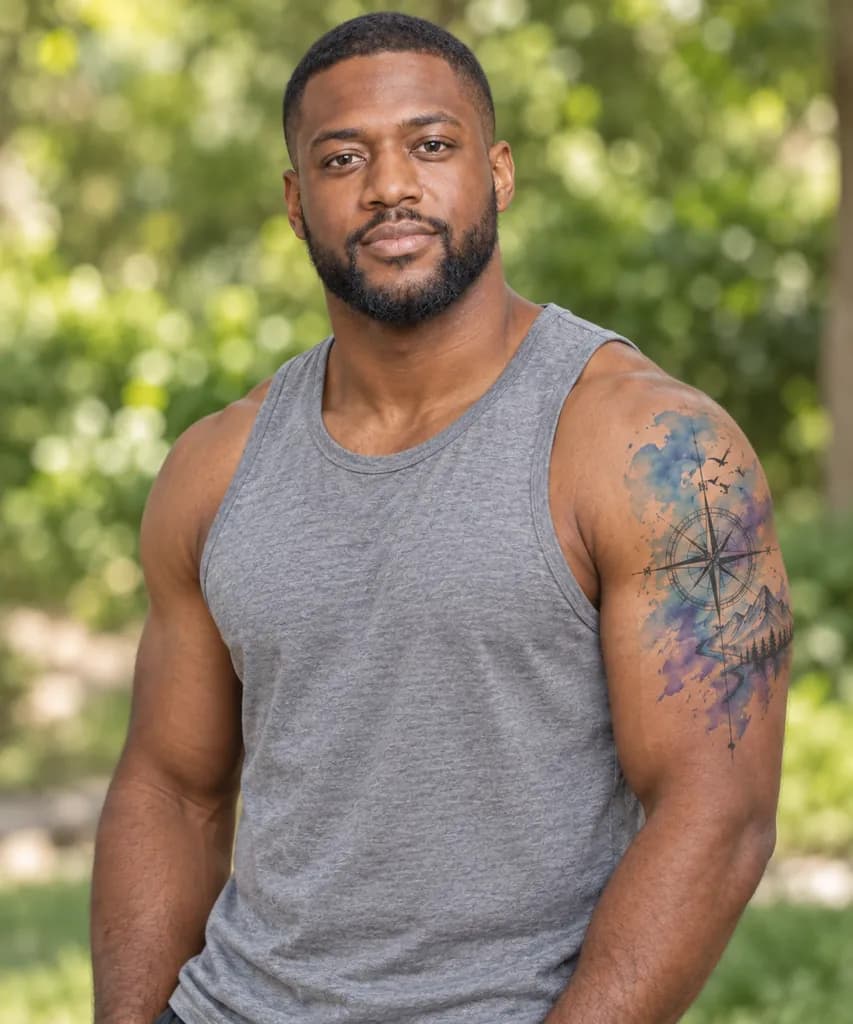
Convert the person in the photo with a watercolor-style tattoo on the shoulder: soft color splashes in blue and purple blending into the skin, minimal black linework, natural outdoor daylight, a softly blurred green backdrop, and a half-body crop showing the shoulder.
Copies the prompt; just paste it in Gemini
#5
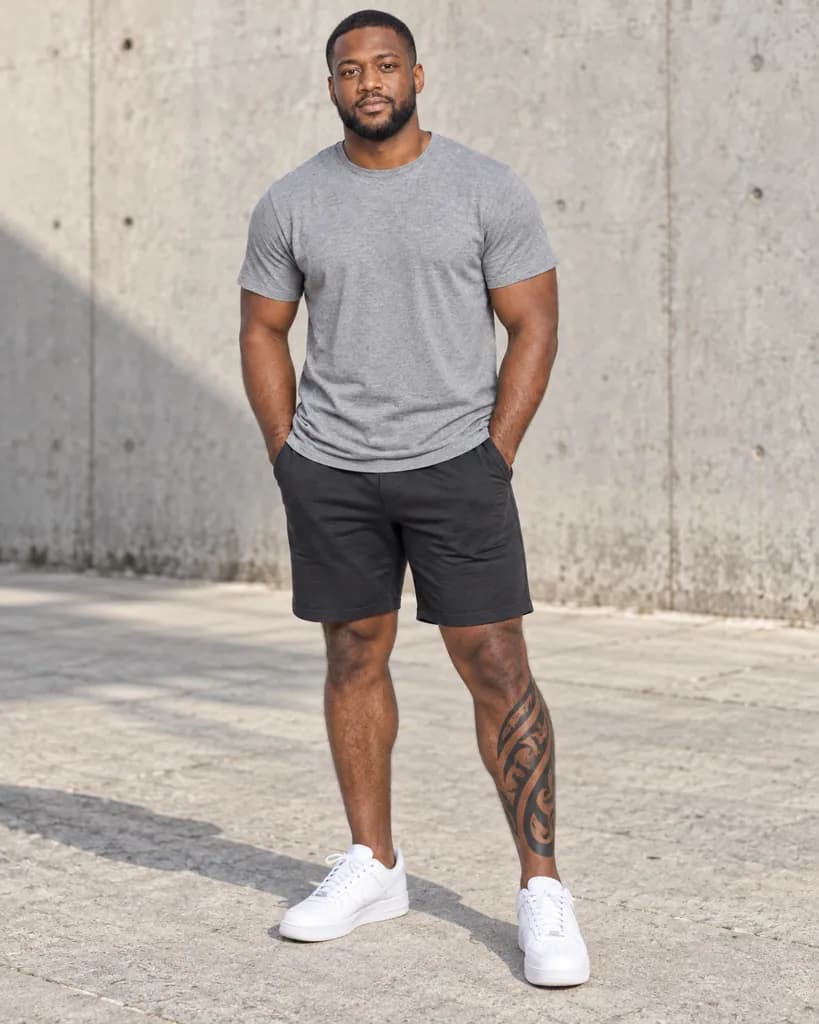
Style the person in the photo with a tribal-pattern tattoo on the calf: bold curving black shapes following the muscle line, matte ink finish, bright natural daylight, an outdoor concrete backdrop, and a full-body standing pose.
Swap 'calf' for 'ankle' to move the design to a different spot.
Copies the prompt; just paste it in Gemini
#6
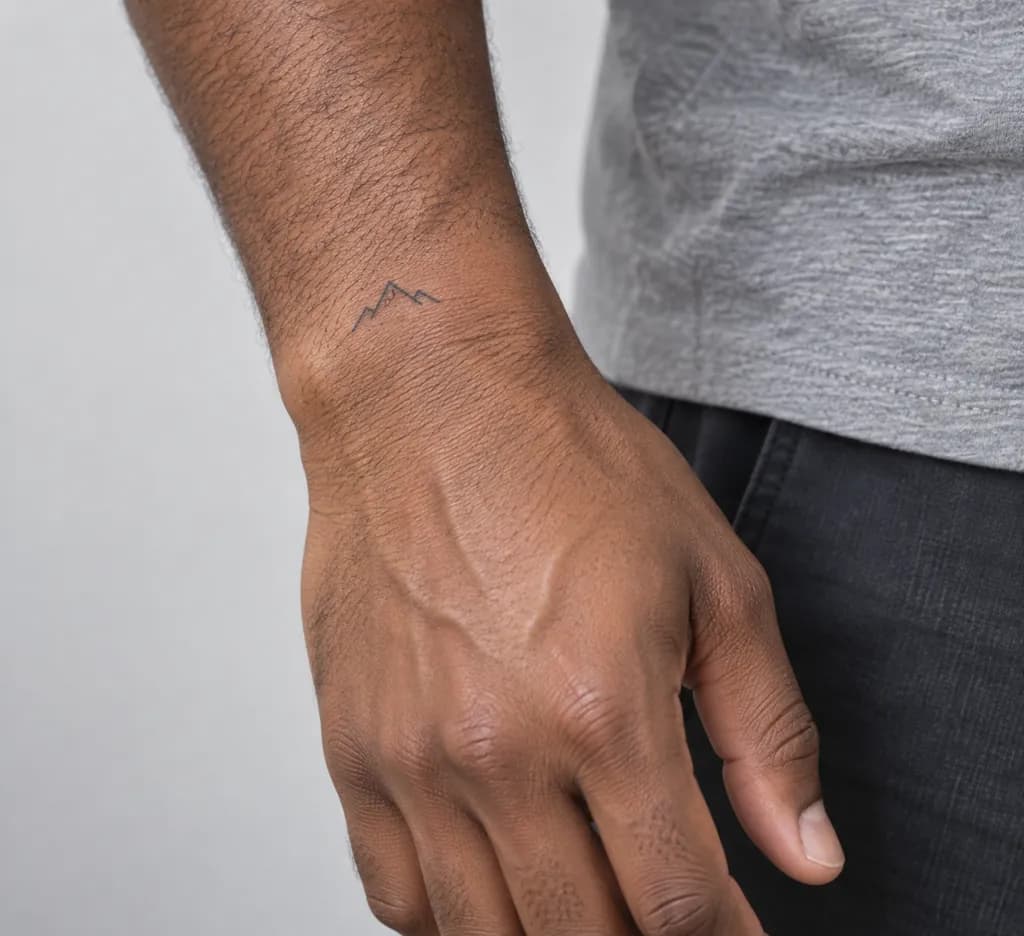
Make the person in the photo show a small minimalist tattoo on the wrist: a thin single-line symbol design, light grey-black ink, soft natural window light, a plain light backdrop, and an extreme close-up crop on the wrist and hand.
Copies the prompt; just paste it in Gemini
#7
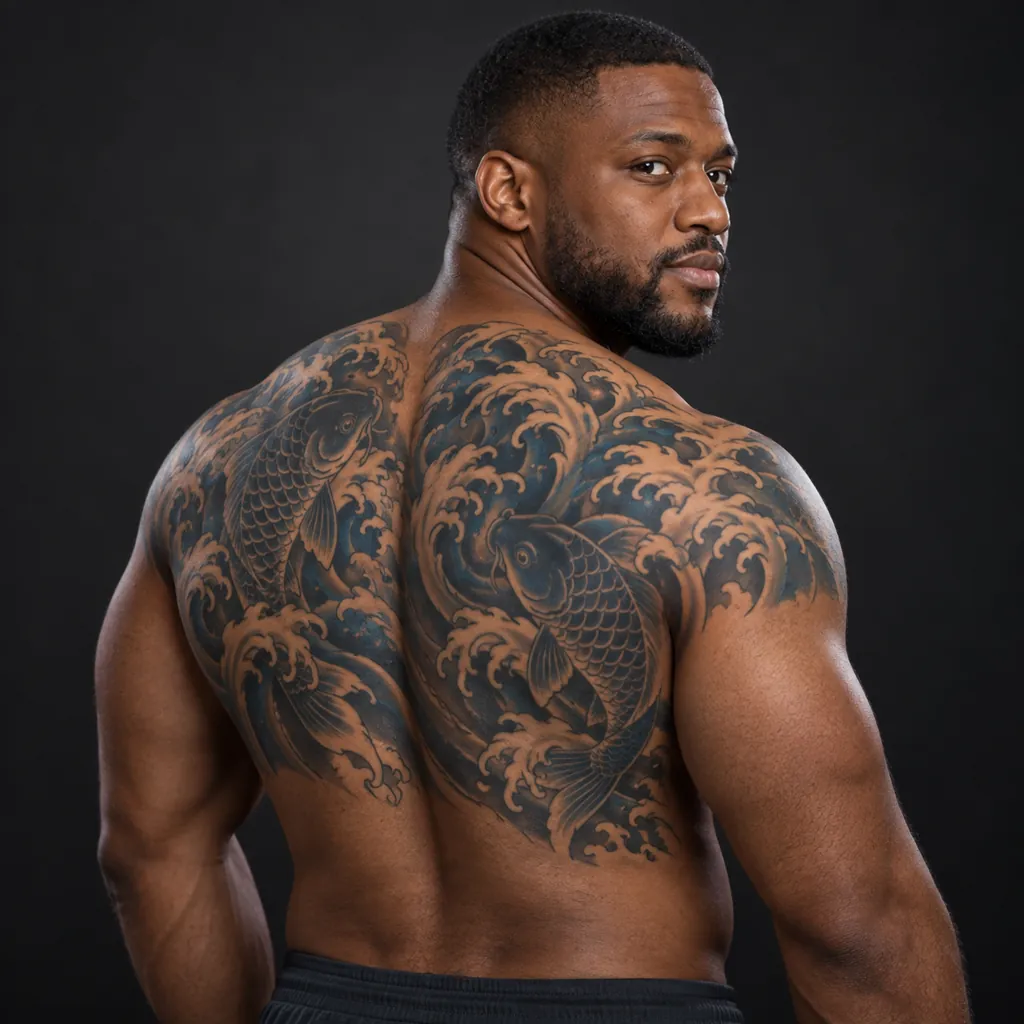
Place a Japanese-inspired large-scale tattoo on the upper back of the person in the photo: flowing wave and koi-fish motifs, rich black and deep-blue shading, dramatic side studio lighting, a dark neutral backdrop, and a half-body crop from behind showing the back and shoulders.
Mention 'partial back piece' if you want it smaller than a full back.
Copies the prompt; just paste it in Gemini
Frequently asked questions
Why doesn't the result look like me?
Start with a clear, well-lit photo of the actual body part, taken straight-on rather than at an angle. A blurry or angled source photo makes it harder for the tattoo to sit naturally on your real skin.
Can I use this on a photo of a friend considering a tattoo?
Yes, as long as it is a photo you have permission to edit. Attach their photo instead of your own and the same prompt previews the same design on them.
Is this a real tattoo, or does it wash off?
This only edits the photo, nothing touches your actual skin. Use the result as a visual reference to discuss placement and style with a licensed tattoo artist before getting a real one.
Can I ask for a specific word instead of an image-based design?
Yes, describe the text you want along with a font style, for example 'small cursive script reading a short word,' and Gemini will place it in the spot described in the prompt.