ChatGPT vs Gemini for Photo Editing: 63 Side-by-Side Results
By GetPhotoPrompt Editors · Updated 2026-10-26
The short answer
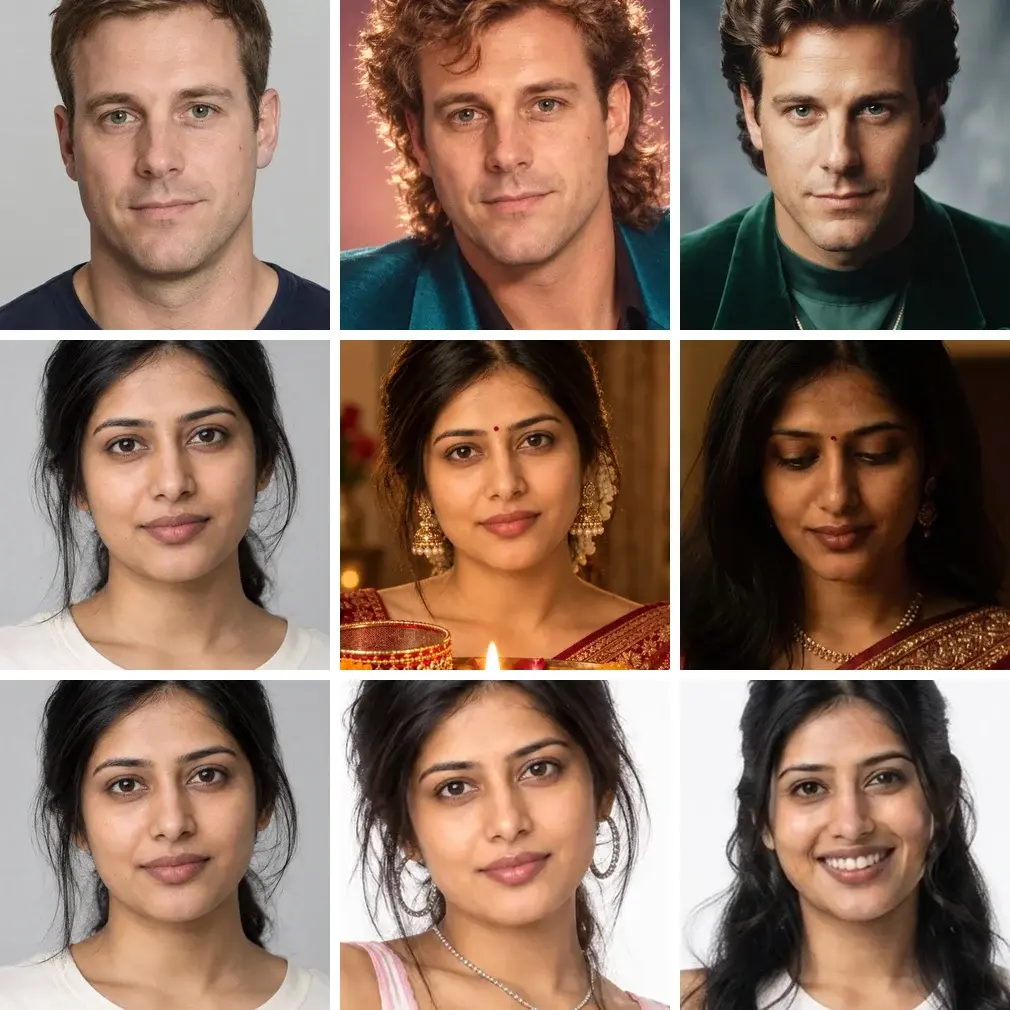
We gave ChatGPT and Gemini the same stand-in photos and the same prompts, word for word, and compared 63 pairs of results. ChatGPT's result kept the face closer to the photo in 60 of them. When a prompt said nothing about a smile, Gemini showed teeth in 11 of 52 results and ChatGPT in none. On our South Asian stand-in, Gemini's results made her skin look noticeably darker in 20 of 28 looks, against 4 for ChatGPT, though ChatGPT more often made it yellower.
Gemini was the quicker tool: about 10 seconds per image against about a minute for ChatGPT, and during these tests it never stopped us with a limit. Both added things nobody asked for, from extra words on posters to brand logos, so whichever you use, compare the result with your photo before you share it.
One thing to keep in mind: we made our stand-in photos with ChatGPT, so it may find its own faces easier to keep.
How we compared
The ChatGPT images are the samples that were on our prompt pages on October 8, 2026. We made them between September 23 and October 2, with the image tool in the ChatGPT web app, signed in to a normal chat. Each came from one AI-generated stand-in photo and the exact prompt text, with nothing added. The Gemini results are first runs from our tests on October 3 to 6, made in the Gemini web app at gemini.google.com, each in a new temporary chat with the model picker on Flash-Lite, using the same stand-in photos. When we checked again on October 26, 2026, the picker showed Gemini Auto instead, so runs made today may not match ours.
We paired a ChatGPT image with a Gemini result only when the prompt was word for word the same. Where we had changed a prompt and redrawn its sample before testing Gemini, Gemini got the changed prompt too, so those pairs count. We left out our Halloween looks, where makeup changes the face on purpose, our couple photos and any pair where one side had no face to measure. Our Gandhi Jayanti poster prompts ask for the photo to sit in a frame or badge, so we compare those only for their words.
That left 63 pairs across nine of our pages, on four AI-generated stand-ins: a South Asian woman, a Black man, a white man and a photo made to look like an old black-and-white print. Three of the 63 ChatGPT images are second attempts, redrawn after a content problem; for two of them we had changed the prompt first, and Gemini got the changed prompt. The Gemini results are all first runs, and each pair is one run per tool.
We compared each result with its photo in three ways:
- Face match. A score from dlib, an open-source face-recognition library, for how far the face is from the one in the photo. Lower is closer, and dlib's usual cut-off between the same person and a different one is 0.6. We also looked at every pair as same-size face crops.
- Skin. Brightness (L*, on a 0 to 100 scale) and yellowness (b*) at three equal spots on the forehead and cheeks, each compared with the same spot on the photo. We checked every spot by eye and left out the few that landed on a headband or a forehead jewel. This measures how bright the skin looks in the picture, so shadow from one-sided light counts as darker.
- The mouth. All our stand-ins have a relaxed, closed mouth, so we counted a smile as added when the result showed teeth.
This is a small comparison of two apps on different days, not a lab test, and both apps change often.
Faces: ChatGPT stayed closer to the photo
ChatGPT's result was closer to the photo than Gemini's in 60 of the 63 pairs, with a typical score of 0.19 against 0.34 for Gemini. In the 42 pairs where both faces were at least 150 pixels wide, it was 39 of 42. Seven Gemini results scored 0.45 or more, one of them past the 0.6 cut-off, though five of the seven were small faces in wide shots, where the score is least reliable. One ChatGPT result scored 0.45 or more, and none passed 0.6. The other three pairs were near ties, in edits that leave the face alone anyway: two old-photo restorations and a black-and-white headshot.
Each of those seven Gemini results came with a toothy smile, noticeably darker skin or strong colored light. Our guide to why Gemini changes faces goes through those changes one by one.
Smiles
In the 52 pairs where the prompt didn't ask for a smile or a laugh, Gemini's first run showed teeth in 11, and two of those were open-mouthed laughs. None of ChatGPT's images did.
When a prompt did ask, ChatGPT held back more than Gemini. For "a casual close-up smile" on our 1980s page and "a close-up candid smile caught off guard" on our 90s page, ChatGPT kept the lips closed and Gemini showed teeth. For "warm, approachable" on our headshot page, ChatGPT kept the mouth closed and Gemini showed teeth. Only for "mid-laugh" did both show teeth.
If you don't want Gemini to add a smile, end the prompt with "Keep the exact facial expression and mouth from the photo; do not add a smile." In the tests for our guide to why Gemini changes faces, it or a slightly longer version kept the photo's expression in all 11 Gemini runs.
Skin tone
On our South Asian stand-in we could compare 28 looks. Gemini's results made her skin look noticeably darker in 20 of them (L* down by more than 5) and much darker in 11 (down by more than 15). ChatGPT's did in 4, and only one of those, a moonlit look, went more than 15 points darker. ChatGPT's change was more often in the color: it made the skin noticeably yellower (b* up by more than 5) in 20 of the 28 looks, against 13 for Gemini. When we measured the cheeks alone, the counts moved by one or two, but the pattern held.
Much of Gemini's darkening came with the light in the prompt, such as warm lamplight, window light or bright sun, and in several looks one cheek stayed close to the photo while the other fell into shadow. On our white stand-in Gemini also darkened the skin more often, in 7 of 15 looks against 3 or 4 for ChatGPT, in scenes such as golden hour, neon light and side lighting. On our Black stand-in the counts were small and changed with where we measured, so we don't rank the tools there.
Words on posters
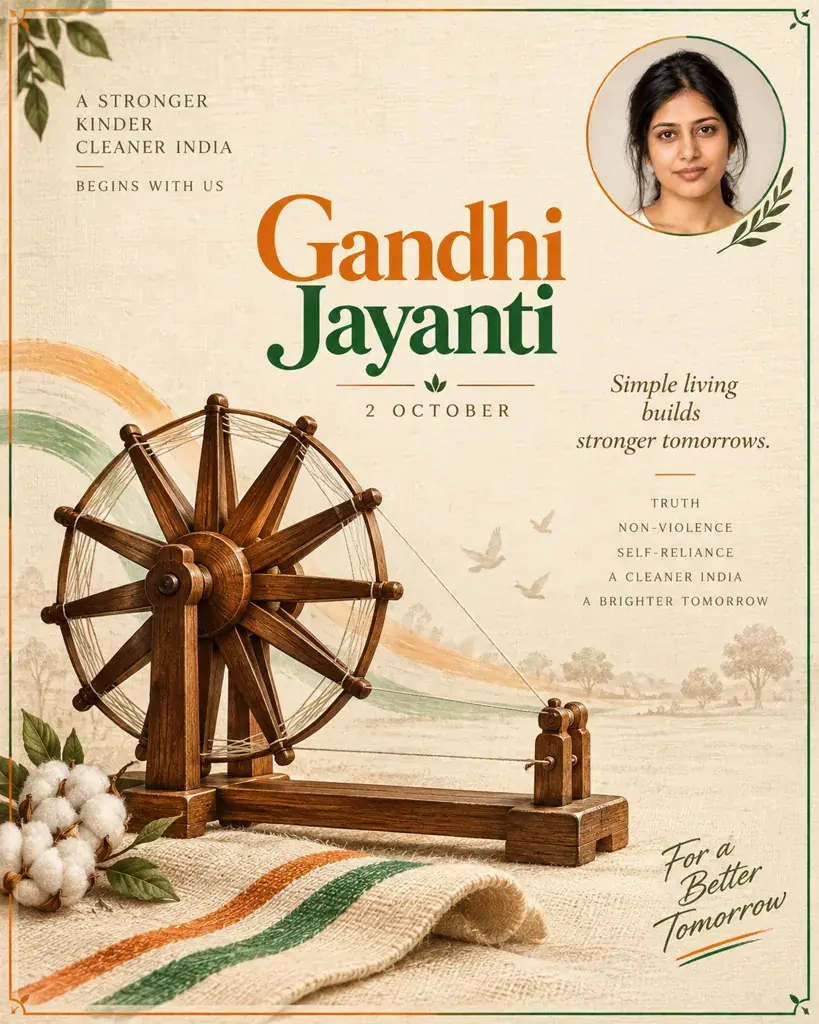
Seven of our Gandhi Jayanti poster prompts were word for word the same for both tools. Each put the words to print in quotes, but only two also ruled out other text.
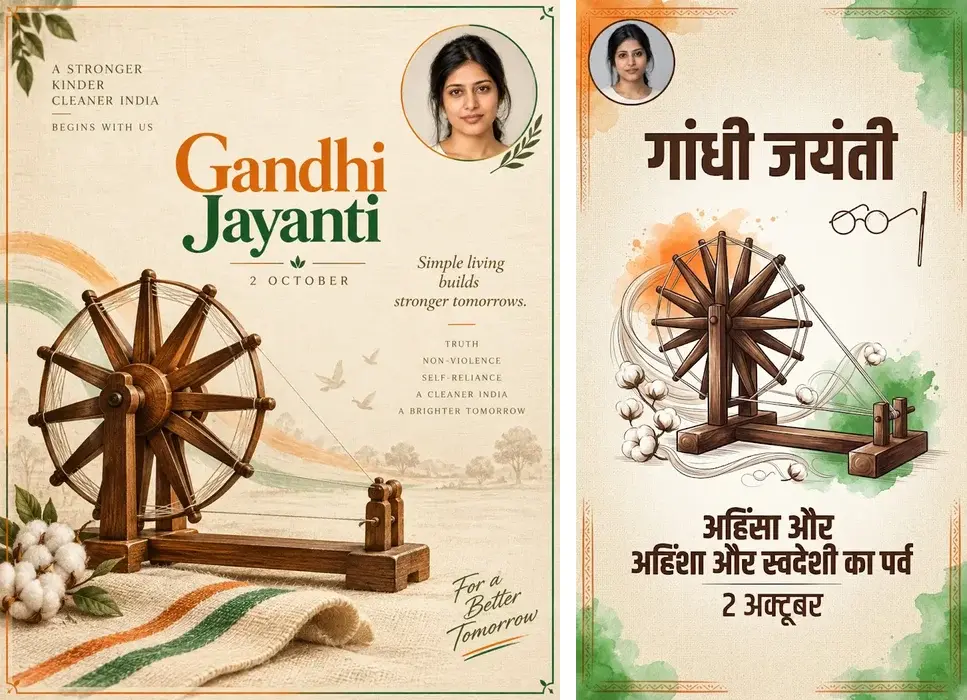
- ChatGPT added lines to three of the seven, such as "Simple living builds stronger tomorrows." Everything it wrote was spelled correctly.
- Gemini added lines to four. On one poster it wrote the title in Hindi and added three Hindi lines, one with a misspelled word; on another it added "1869 • 2024", and the second year is wrong.
- On the two prompts that ruled out other text, ChatGPT kept to the words both times and Gemini once.
If the words matter, say that you want no other text, and read every letter before you print or post. Our step-by-step guide to writing Gemini prompts shows the wording that kept a poster to its title in our one Gemini run with it.
Things nobody asked for
Both tools added things we hadn't asked for, and our review before publishing missed some of ChatGPT's. Among the 63 pairs, the ChatGPT samples we compared carried real brand marks in three: a car maker's badge and a tire brand's name on a 1980s convertible, and sportswear logos in two 90s looks. Gemini's first runs carried them in five: a different car maker's badge on the same convertible, a fast-food chain's signs and an accessories store's shopping bag in a mall scene, a fashion house's name on a belt charm, a real band's name on a T-shirt and a computer maker's logo on a monitor. ChatGPT's office headshot also had a made-up slogan on a wall poster, and one of its Gandhi Jayanti banners a gold wheel like the one on India's flag, although that prompt said "No flags". Gemini added an invented aerobics slogan, an orange patch on a cheek and, on a poster, a navy spoked wheel like the one on the flag.
We have since redrawn those five ChatGPT samples. For the two 90s looks, ChatGPT drew sneakers with brand marks in both of its redraws with the original prompts, and once more after we asked for "plain unbranded white sneakers". Naming the kind of shoe did it: "plain white canvas sneakers with no logos" and "plain unbranded skate shoes" gave plain shoes, in ChatGPT and in Gemini.
We redrew some ChatGPT images before publishing, such as ones with arcade game names, made-up slogans and an idol in a festival background. Two Halloween images, with fake wounds and an angel statue, were on our page for 11 days before we replaced them. This is why many of our prompts now say what to leave out, such as "No quotations" or "no idols, statues or deity figures", and why it's worth zooming in on the background before you share a result.
Speed, limits and shape
Gemini was much faster: a median of 9 seconds per image, from sending the prompt to seeing the picture, against 63 seconds for ChatGPT. In Gemini we ran 122 tests in one day without a limit message. That has changed since: on October 25, with the picker on Gemini Auto, after 34 images in about half an hour Gemini said it could make more once our limit reset, and its usage page showed the current limit used up, with a reset that evening. On the ChatGPT account we used, making images back to back brought up a "Too many requests" message after about ten; slowing to one every 90 seconds didn't clear it, and we hit it again two images later. ChatGPT's image moderation also refused an earlier wording of our poster prompts twice. Gemini refused none of the prompts we sent, though we never sent it that wording.
Gemini returned a square image for every prompt except six of its seven posters, while ChatGPT chose a taller, portrait shape for a little over half of the 63 looks. In Gemini, asking for "a square, flat graphic" poster worked in our one try; we didn't test asking ChatGPT for a shape.
Which one to use
These are the choices our results support, for prompts like ours:
- If the result has to look like you, ChatGPT kept faces, smiles and, on our South Asian stand-in, skin brightness closer to the photo. Still check the skin color, which it often warmed.
- If you want to try many looks quickly, Gemini answered in seconds and didn't limit us during these tests, though it did on a later day. Add the expression sentence above, and check each face against your photo.
- When skin tone matters, light that is soft and even, like the light in your photo, changed it least in our tests.
- With either, read any text letter by letter and look for logos, signs and figures you didn't ask for.
- Use a photo of yourself, or of an adult who has agreed to it.
What this comparison can't tell you
Each pair is one run per tool, and the same prompt can give a different picture the next time: in our Gemini re-runs, a smile came and went on the same prompt. The two results in a pair were made between about two and ten days apart, on one account each, ChatGPT in normal chats and Gemini in temporary chats, and we don't know exactly which image model either app used; another Gemini model setting may behave differently. All four stand-ins were made with ChatGPT and are AI-generated, so a real photo or a different face may come out differently. The face-match score is a rough guide, which is why we also compared every pair by eye. Treat this as one careful test, and compare your own results the same way.